
Vo svete módy je lookbook viac než len katalóg oblečenia – je to rozprávačský prostriedok, ktorý zachytáva náladu, estetiku a identitu značky. Dobre spracovaný interaktívny lookbook posúva tento koncept ešte ďalej pridaním klikateľných bodov, vložených videí, efektov otáčania stránok a nákupných odkazov, ktoré premieňajú pasívne prehliadanie na pohlcujúci zážitok.
Či už ste módny návrhár, ktorý uvádza na trh novú sezónnu kolekciu, majiteľ butiku, ktorý sa snaží osloviť zákazníkov, alebo marketingový profesionál hľadajúci nový kreatívny smer, štúdium toho, čo funguje v oblasti lookbookov, môže podnietiť silné nápady pre váš ďalší projekt.
V tomto článku sme zostavili zoznam 9 príkladov interaktívnych lookbookov ktoré predstavujú niektoré z najlepších prístupov k digitálnemu rozprávaniu módnych príbehov. Preskúmame, čo robí každý z nich efektívnym a ukážeme vám, ako si vytvoriť vlastný pomocou nástrojov ako FlipHTML5 a FlipBuilder.
Prečo interaktívne lookbooky nahrádzajú statické PDF súbory
Predtým, ako sa pustíme do príkladov, poďme sa rýchlo venovať prečo Interaktívne lookbooky sa stávajú štandardom v tomto odvetví:
- Vyššia miera zapojenia: Interaktívne prvky udržia divákov na stránke 3 až 5-krát dlhšie ako statické PDF súbory.
- Integrácia s možnosťou nakupovania: Klikateľné odkazy umožňujú zákazníkom nakupovať priamo z lookbooku.
- Sledovanie analytických údajov: Pochopte, ktoré stránky, produkty a štýly pútajú najväčšiu pozornosť.
- Optimalizácia pre mobilné zariadenia: Moderné digitálne lookbooky sa bez problémov prispôsobia akejkoľvek veľkosti obrazovky.
- Jednoduché zdieľanie: Jediný odkaz distribuuje celú vašu zbierku na sociálnych sieťach, e-mailoch a webových stránkach.
Teraz si pozrime príklady, ktoré demonštrujú tieto princípy v praxi.
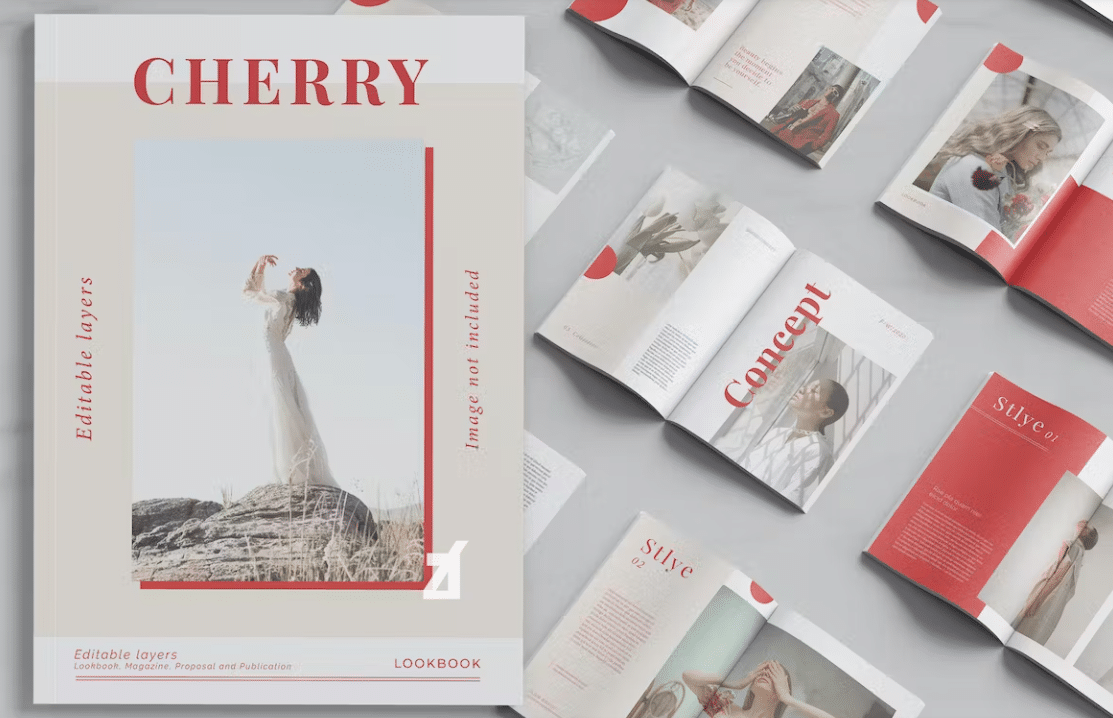
1. Cherry Lookbook – Minimalistická elegancia
Cherry Lookbook je majstrovskou triedou v zdržanlivosti. Vďaka prevažne bielemu pozadiu s precízne umiestnenou typografiou necháva dizajn oblečenie hovoriť samo za seba. Každá strana obsahuje fotografie životného štýlu v plnom rozsahu v kombinácii s jemnými detailmi produktu, ktoré sú prekryté čistým bezpätkovým písmom.
Čím vyniká: Animácia otáčania stránok napodobňuje fyzický časopis a vytvára taktilný zážitok z prehliadania. Strategické využitie negatívneho priestoru prirodzene vedie pohľad diváka od modelu k popisu produktu a k výzve na akciu.
S sebou: Keď je vaša fotografia dobrá, menej je viac, čo sa týka dizajnových prvkov. Nechajte oblečenie a styling urobiť ťažkú prácu.
2. Nádherný lookbook oblečenia – výrazný a žiarivý
V ostrom kontraste s minimalistickými prístupmi tento lookbook využíva prvky farby, textúry a grafického dizajnu. Každá kolekcia používa odlišnú farebnú paletu, ktorá dopĺňa vybrané odevy a vytvára tak súdržný vizuálny príbeh v celej kolekcii.
Čím vyniká: Dizajnéri používajú techniky farebných blokov v samotnom rozložení, ktoré odrážajú farebné trendy v módnom priemysle. Interaktívne body na kľúčových kusoch po prejdení myšou odhaľujú detaily o látke, možnosti veľkostí a ceny.
S sebou: Zlaďte grafický dizajn vášho lookbooku s vizuálnou identitou vašej kolekcie. Ak prezentujete výrazné a farebné oblečenie, aj vaše rozloženie by malo zodpovedať tejto energii.
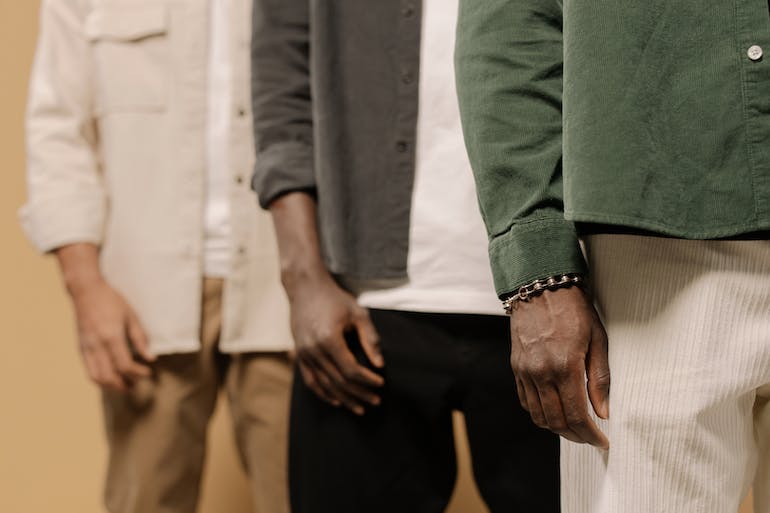
3. Lookbook módnych šperkov – detail zameraný na produkt
Šperky sú o detailoch a tento lookbook to dokonale chápe. Každý kus je vyfotografovaný v extrémnej detailnej fotografii, a to ako na modelkách, tak aj v prostredí, kde sa zobrazujú iba jednotlivé produkty, s interaktívnou funkciou priblíženia, ktorá umožňuje divákom zblízka preskúmať remeselné spracovanie.
Čím vyniká: Tmavé pozadie v celom lookbooku vytvára luxusnú atmosféru, ktorá zvyšuje vnímanú hodnotu každého kusu. Vložené videoklipy zobrazujú šperky v pohybe, zachytávajúce svetlo z rôznych uhlov – niečo, čo statická fotografia jednoducho nedokáže.
S sebou: V prípade doplnkov a šperkov investujte do detailnej fotografie a zvážte integráciu videa. Tieto prvky oveľa lepšie vyjadrujú kvalitu a remeselné spracovanie ako štandardné katalógové zábery.

4. Nedeľný lookbook – Rozprávanie príbehov o životnom štýle
Nedeľný lookbook zameraný na príbeh je na prvom mieste a predstavuje oblečenie v rámci deja každodenného života. Namiesto tradičných stránok s produktmi lookbook sleduje modelku počas jej nedeľnej rannej rutiny – od kávy doma cez brunch až po popoludňajšiu návštevu galérie – pričom každá scéna prirodzene predstavuje iné outfity.
Čím vyniká: Tento prístup k rozprávaniu príbehov vytvára emocionálne spojenie s divákom. Umiestnením odevov do reálnych kontextov si potenciálni zákazníci môžu okamžite predstaviť, ako dané kúsky zapadajú do ich vlastného životného štýlu.
S sebou: Myslite nad rámec produktovej fotografie. Vytvorenie naratívneho rámca pre váš lookbook pomáha zákazníkom emocionálne sa spojiť s vašou značkou a predstaviť si, že vaše kúsky nosia v každodennom živote.

5. Neue Lookbook – Redakčná móda
Inšpirovaný editoriálnymi fotkami z oblasti vysokej módy, Neue Lookbook spája avantgardnú fotografiu s experimentálnou typografiou. Každá fotka pôsobí ako stránka z Vogue alebo Harper's Bazaar s dramatickými pózami, neočakávanými uhlami a umeleckým následným spracovaním.
Čím vyniká: Obzvlášť pozoruhodné je typografické spracovanie – nadrozmerné písmená prekrývajú obrázky a vytvárajú dynamické napätie medzi textom a fotografiou. Tento prístup funguje dobre pre značky, ktoré sa zameriavajú na publikum zamerané na módu a dizajn.
S sebou: Ak sa vaša značka prezentuje ako špičková alebo avantgardná, nevyhýbajte sa experimentálnym dizajnovým možnostiam. Výrazná typografia a nekonvenčné rozloženie môžu odlíšiť váš lookbook od konkurencie.

6. Deviaty lookbook – Prehliadka sezónnych kolekcií
Deviaty lookbook vyniká prezentáciou sezónnej kolekcie s jasnou organizačnou štruktúrou. Lookbook je rozdelený do sekcií – Jarné nevyhnutnosti, Prechodné kúsky a Výrazné kúsky – čo kupujúcim a zákazníkom uľahčuje priamu orientáciu v tom, čo ich zaujíma.
Čím vyniká: Interaktívny obsah na začiatku umožňuje divákom preskočiť na konkrétne sekcie, čo je funkcia, ktorá je obzvlášť cenná pre veľkoobchodných kupujúcich, ktorí si prezerajú celú kolekciu. Každá sekcia si zachováva vlastnú farebnú schému a zároveň zostáva súdržná s celkovou estetikou značky.
S sebou: Pre väčšie zbierky je kľúčová organizácia. Používajte jasné oddeľovače sekcií, interaktívnu navigáciu a obsah, aby čitatelia rýchlo našli to, čo hľadajú.
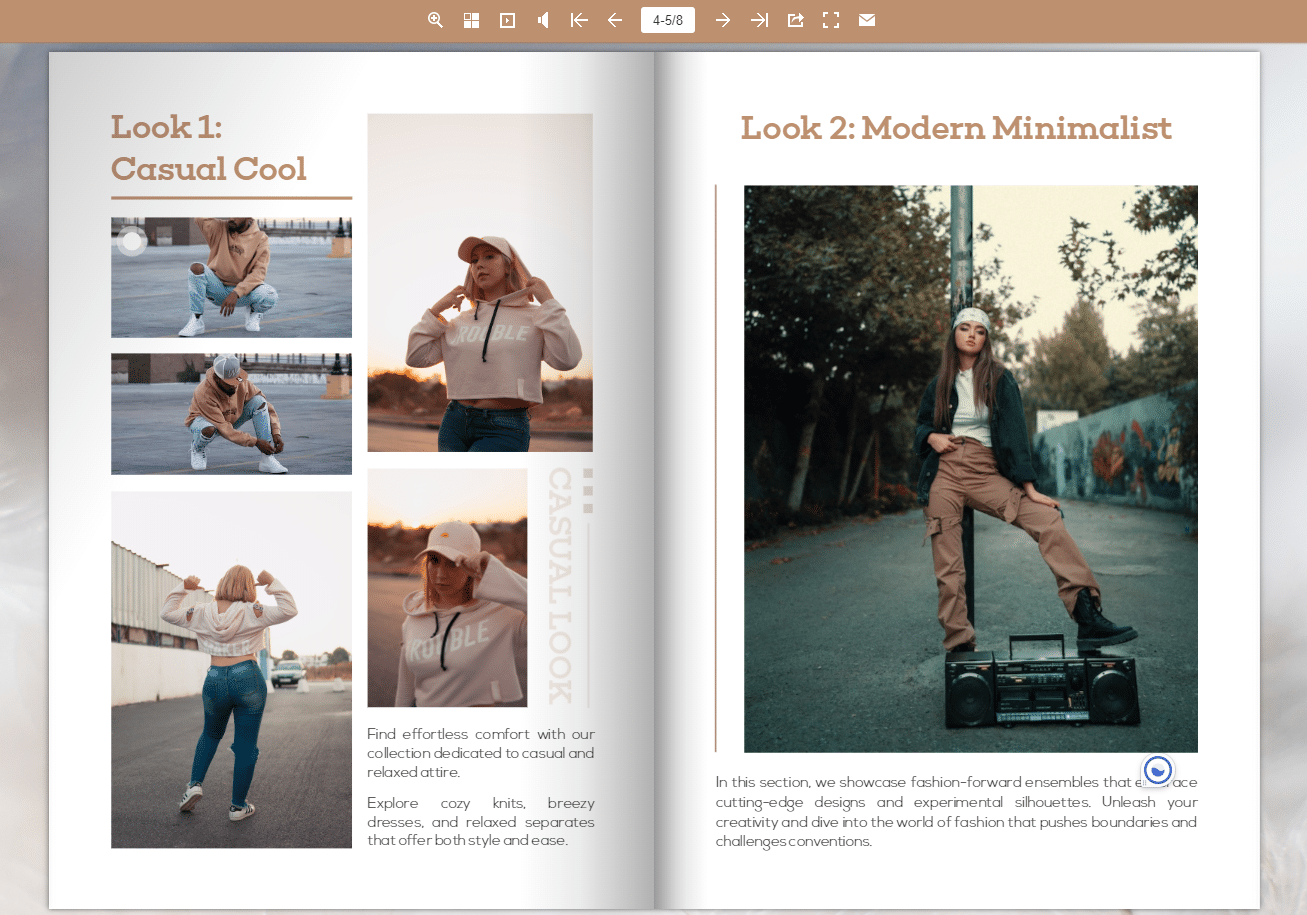
7. Katalóg Lookbook – Integrácia s možnosťou nakupovania
Tento príklad preklenuje priepasť medzi lookbookom a elektronickým obchodom a vytvára plne nakupovateľný zážitok. Každý produkt zobrazený na fotografii v redakčnom štýle obsahuje klikateľné odkazy, ktoré zobrazujú ceny, dostupné veľkosti a priamy odkaz na nákup.
Čím vyniká: Bezproblémová integrácia funkcií nakupovania neohrozuje redakčnú kvalitu. Aktivujúce body sú nenápadné (zobrazujú sa ako malé ikony „+“) a rozbalia sa iba po kliknutí, čím sa zachováva vizuálna integrita každého roztiahnutia a zároveň umožňuje priama konverzia.
S sebou: Ak predávate priamo spotrebiteľom, lookbooky s možnosťou nákupu môžu výrazne skrátiť cestu od inšpirácie k nákupu. Nástroje ako Interaktívne funkcie FlipHTML5 zjednodušiť pridávanie klikateľných aktivít.
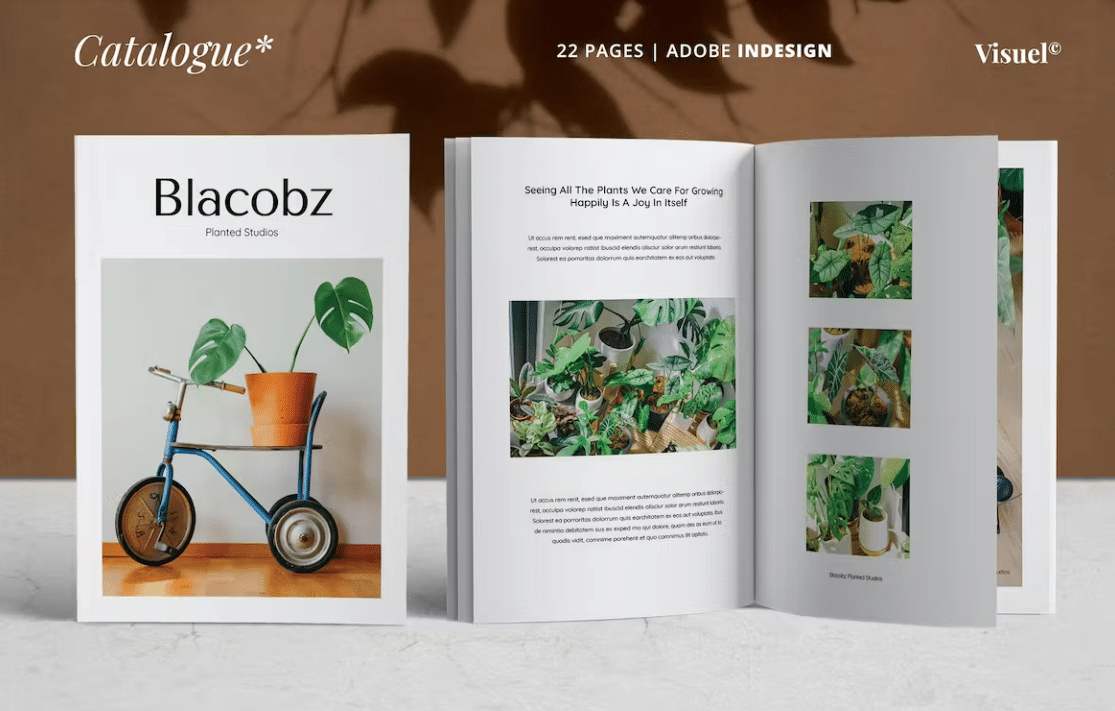
8. Príklad módneho lookbooku – Klasická štruktúra lookbooku
Niekedy klasika funguje najlepšie. Tento lookbook sa riadi tradičným formátom – fotografie modeliek vľavo, detaily produktov vpravo – ale pozdvihuje ho vysoko kvalitnými textúrami tlače, jemnými animáciami otáčania stránok a sofistikovanou farebnou paletou.
Čím vyniká: Konzistentnosť rozloženia vytvára rytmický čitateľský zážitok, ktorý pôsobí dôverne a pohodlne. Každá strana sa riadi rovnakou štrukturálnou šablónou, čo umožňuje, aby fotografia a produkty zostali ústredným bodom bez toho, aby konkurovali novosti rozloženia.
S sebou: Nemusíte vždy znovu vynájsť koleso. Dobre prevedený klasický layout s prémiovou fotografiou môže byť rovnako efektívny ako experimentálne návrhy – najmä pre zavedené značky s lojálnou zákazníckou základňou.
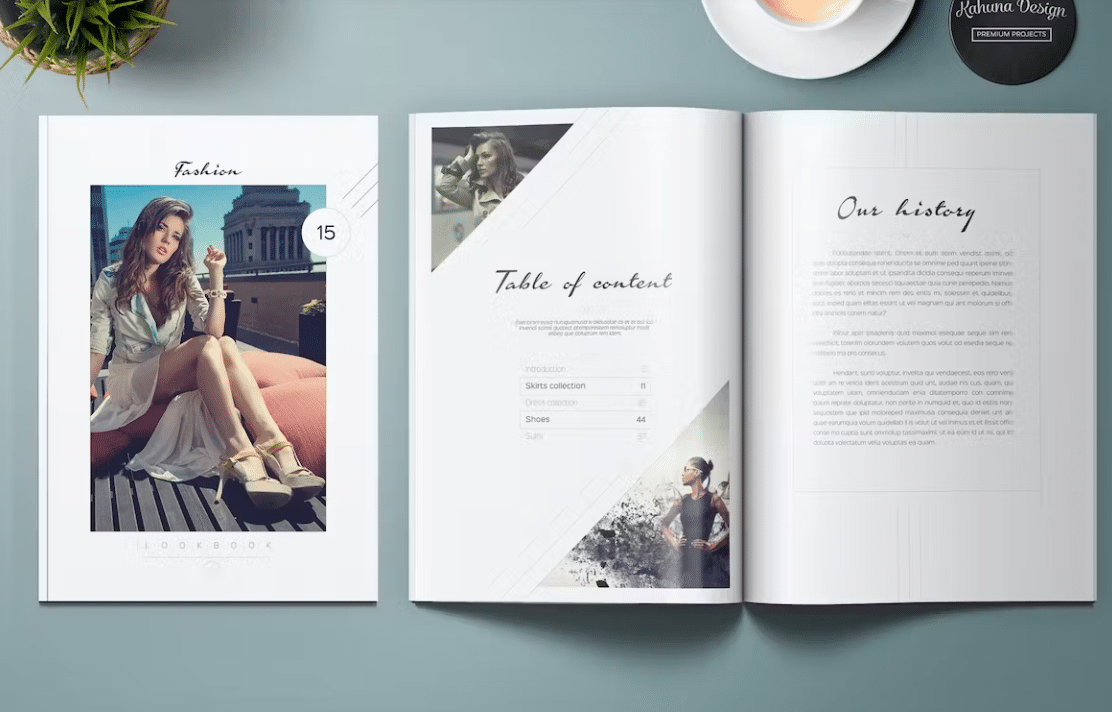
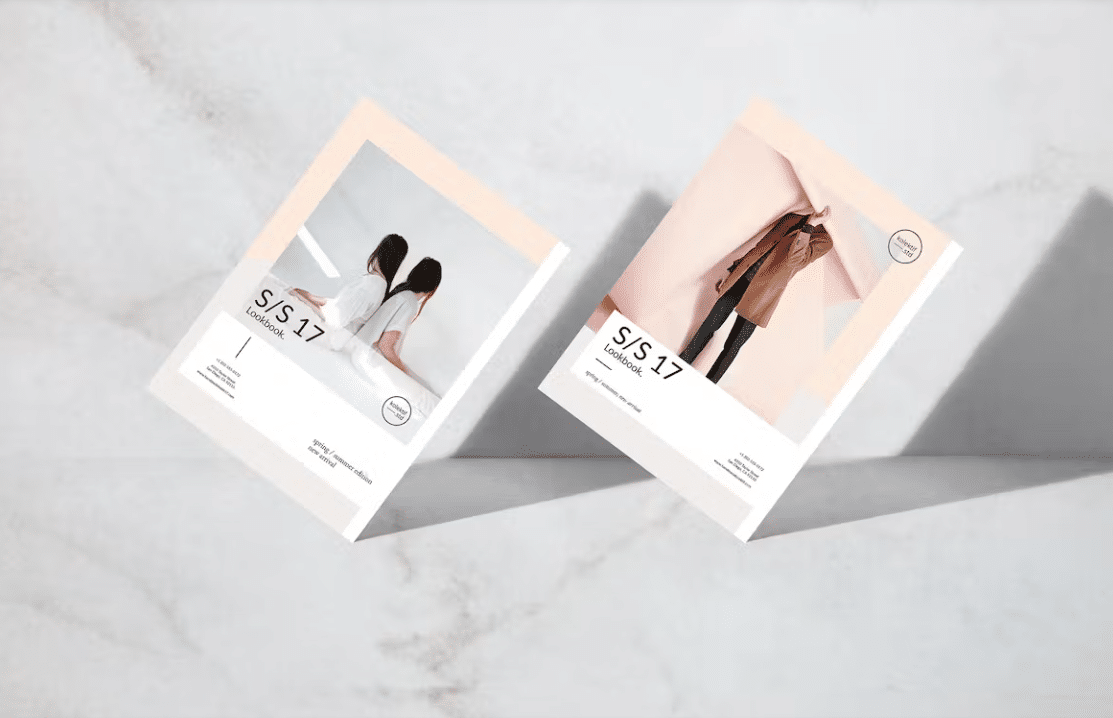
9. Brožúra s módnymi lookbookmi – konverzia z tlače do digitálnej podoby
Tento posledný príklad demonštruje, ako sa dá tradične tlačený lookbook premeniť na bohatý digitálny zážitok. Pôvodne navrhnutý ako fyzická brožúra, digitálna verzia pridáva interaktívne prvky, ktoré v tlačenej podobe neboli možné – vložené videá s outfitmi, klikateľné vzorky látok a tlačidlá na zdieľanie na sociálnych sieťach na každej stránke.
Čím vyniká: Konverzia z tlačenej verzie do digitálnej verzie je majstrovsky zvládnutá. Pôvodná estetika tlačeného dizajnu je zachovaná, zatiaľ čo vylepšenia dostupné výlučne v digitálnej podobe pridávajú vrstvy interaktivity. Tento prístup funguje perfektne pre značky, ktoré distribuujú fyzické aj digitálne verzie svojich lookbookov.
S sebou: Ak už máte tlačený lookbook, jeho prevod do interaktívneho digitálneho formátu môže dramaticky rozšíriť jeho dosah. Knižnica šablón FlipHTML5 zahŕňa šablóny zamerané na módu, ktoré môžu tento proces konverzie zefektívniť.
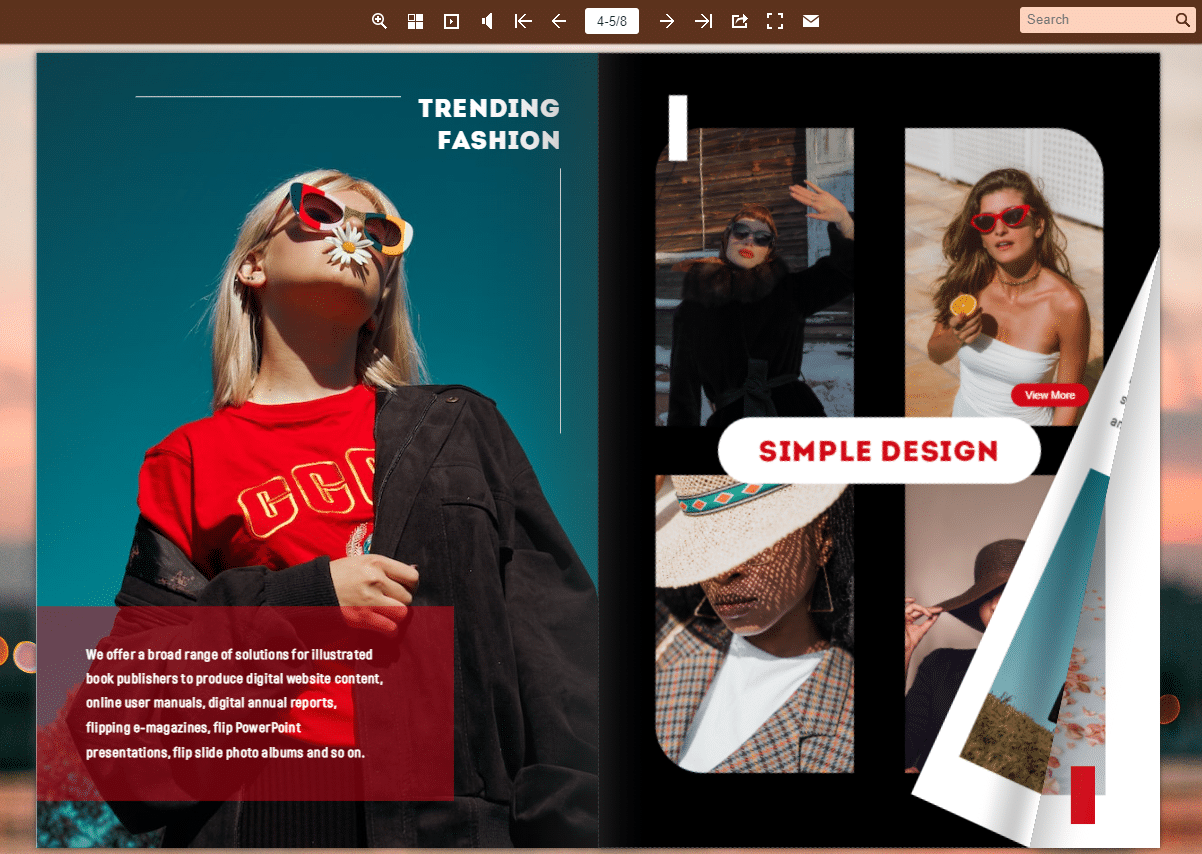
Ako si vytvoriť vlastný interaktívny lookbook
Inšpirovali vás tieto príklady? Tu je postupný postup, ako si vytvoriť vlastný interaktívny módny lookbook:
Krok 1: Naplánujte si vizuálny príbeh
Predtým, ako sa dotknete akéhokoľvek dizajnového softvéru, definujte si príbeh, ktorý chcete rozprávať. Zvážte tému svojej kolekcie, cieľovú skupinu a emocionálnu reakciu, ktorú chcete vyvolať. Načrtnite priebeh svojho lookbooku – ktoré kúsky otvárajú príbeh, ako budujete dynamiku a aký by mal byť záverečný dojem.
Krok 2: Investujte do kvalitnej fotografie
Fotografia je chrbticou každého lookbooku. Naplánujte si kombináciu:
- Redakčné zábery celého tela zobrazujúce kompletné outfity
- Detailné zábery zvýrazňujúce textúry látok, švy a kovanie
- Lifestylové zábery, ktoré umiestňujú odevy do reálneho sveta
- Fotografie produktov v plochej konštrukcii pre jasnú identifikáciu produktu
Krok 3: Navrhnite si rozloženie
Zvoľte si rozloženie, ktoré je v súlade s identitou vašej značky. Pozrite si vyššie uvedené príklady – minimalistické, tučné, redakčné alebo klasické – a zachovajte konzistenciu v celom texte. Použite nástroj ako Flip PDF Pro navrhovať náhľady, ktoré fungujú v tlačenej aj digitálnej forme.
Krok 4: Pridajte interaktívne prvky
Tu sa váš lookbook premení zo statického katalógu na pútavý zážitok. Funkcie katalógu FlipHTML5, môžete pridať:
- Klikateľné odkazy na produkty s odkazmi na váš internetový obchod
- Vložené videoklipy z lookbooku
- Zvukové stopy pre dokonalý zážitok z nálady
- Galérie obrázkov, ktoré sa rozbalia po kliknutí
- Tlačidlá na zdieľanie na sociálnych sieťach na každej stránke
Krok 5: Publikovanie a distribúcia
Keď je váš lookbook dokončený, zverejnite ho online pre maximálny dosah. FlipHTML5 poskytuje cloudový hosting so zdieľateľným odkazom, možnosťami vkladania do sociálnych médií a optimalizáciou pre SEO pre organickú viditeľnosť. Môžete tiež vložte lookbook priamo na svoju webovú stránku pre bezproblémovú integráciu s vašou platformou elektronického obchodu.
Tipy na dizajn módnych lookbookov, ktoré konvertujú
Na základe vzorcov z vyššie uvedených príkladov uvádzame kľúčové princípy dizajnu, ktoré konzistentne fungujú dobre:
Typografia je dôležitejšia, než si myslíte
Vyberte si písma, ktoré odrážajú osobnosť vašej značky. Luxusné značky majú tendenciu používať tenké pätkové písma, značky streetwear používajú tučné bezpätkové písma a značky udržateľnej módy často volia organické písma v štýle ručne písaného písma. Viac informácií o prístupoch k vizuálnemu dizajnu nájdete v týchto príručkách. nápady na dizajn obalu katalógu.
Strategicky využívajte biely priestor
Nevyplňujte každý centimeter stránky. Biely priestor upriamuje pozornosť, vytvára priestor medzi outfitmi a vyjadruje pocit sofistikovanosti. Mnoho prémiových módnych značiek používa veľkorysé okraje ako zámernú dizajnovú voľbu.
Optimalizovať pre mobilné zobrazenie
Viac ako 70% módneho obsahu sa konzumuje na mobilných zariadeniach. Zabezpečte, aby váš lookbook fungoval na menších obrazovkách, a to testovaním na rôznych zariadeniach. Konverzia PDF súboru do flipbooku optimalizovaného pre mobilné zariadenia je jedným z najjednoduchších spôsobov, ako zaručiť skvelý mobilný zážitok.
Zahrňte jasné výzvy na akciu
Každý lookbook by mal mať aj iný účel, než len inšpiráciu. Či už ide o prilákanie návštevníkov do vášho online obchodu, povzbudzovanie veľkoobchodných dopytov alebo budovanie zoznamu e-mailov, uveďte jasné výzvy na akciu do všetkých strán. Najúčinnejšie lookbooky obsahujú výzvu na akciu na každých 2 – 3 stranách bez toho, aby pôsobili dotieravo.
Nástroje na vytváranie interaktívnych lookbookov
Výber správneho nástroja môže byť kľúčový alebo pozitívny pri tvorbe vášho lookbooku. Tu sú najlepšie možnosti, ktoré by ste mali zvážiť:
- FlipHTML5: Komplexná platforma pre digitálne publikovanie so vstavanými interaktívnymi funkciami, cloudovým hostingom a optimalizáciou pre mobilné zariadenia. Tvorca katalógov s umelou inteligenciou vám môže pomôcť rýchlo začať.
- Flip PDF Pro: Desktopový softvér na vytváranie lookbookov s možnosťou otáčania stránok a multimediálnou integráciou. Ideálny pre tímy, ktoré uprednostňujú offline dizajnérske pracovné postupy.
- Adobe InDesign: Profesionálny softvér na tvorbu grafickej úpravy pre komplexné redakčné návrhy – export do PDF a konverzia pomocou FlipHTML5 pre interaktivitu.
- Canva: Možnosť pre začiatočníkov pre základné rozloženie lookbookov, hoci jej chýbajú interaktívne publikačné možnosti špecializovaných nástrojov na flipbooky.
Podrobné porovnania a ďalšie možnosti nájdete v našom sprievodcovi aplikácie na tvorbu lookbookov.
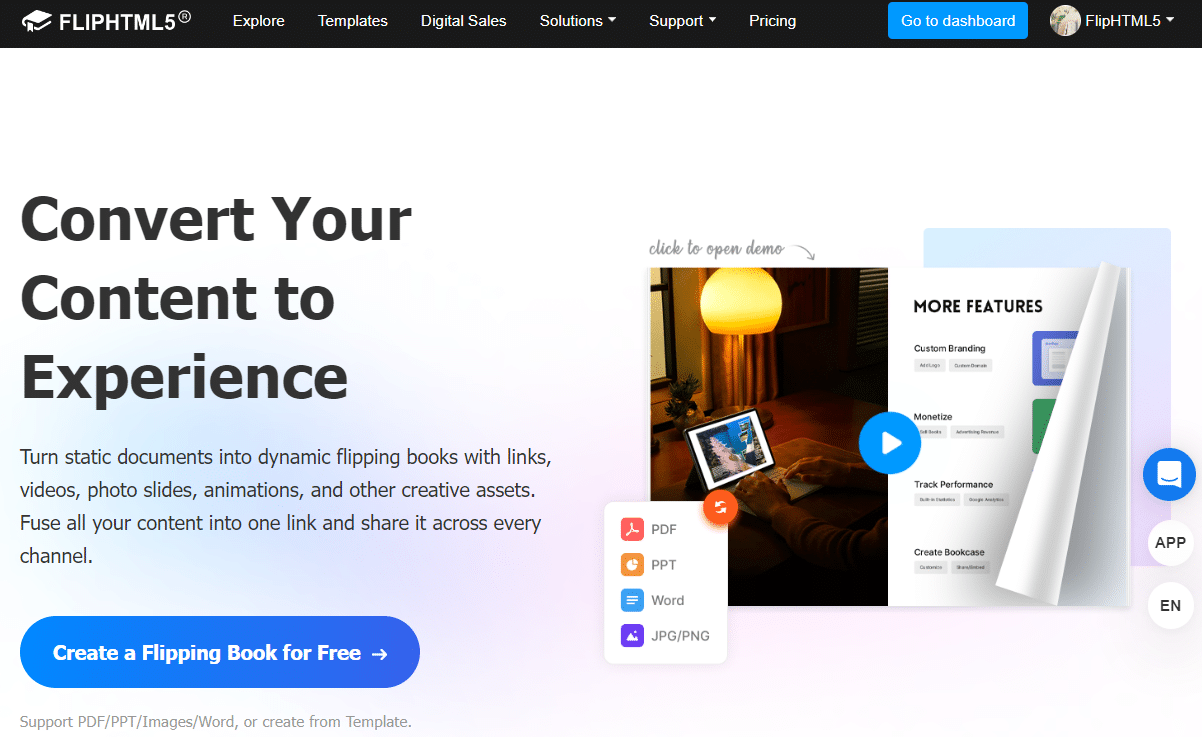
Ako popredné značky používajú interaktívne lookbooky
Módne značky všetkých veľkostí prijímajú interaktívne lookbooky ako kľúčovú súčasť svojej marketingovej stratégie:
- Začínajúci dizajnéri použiť ich na prezentáciu kolekcií kupujúcim pred Týždňom módy, čím nahradiť drahé tlačené hánky.
- Značky elektronického obchodu vkladajú lookbooky na stránky svojich produktov, aby poskytovali inšpiráciu pre štýlové outfity spolu s jednotlivými zoznamami produktov.
- Luxusné domy vytvárajte digitálne lookbooky v redakčnej kvalite, ktoré zároveň slúžia ako obsah pre kampane na sociálnych sieťach.
- Udržateľné módne značky zdieľať digitálne lookbooky s cieľom znížiť množstvo odpadu z papiera a zároveň rozprávať svoj príbeh o udržateľnosti.
Pre viac inšpirácie si prečítajte tieto nápady a príklady módnych lookbookov alebo preskúmať šablóny módnych lookbookov môžete prispôsobiť svojej značke.
Začnite vytvárať svoj interaktívny lookbook ešte dnes
Interaktívne lookbooky predstavujú budúcnosť módneho marketingu – kombinujú redakčné umenie tradičných tlačených katalógov so zaujatosťou a merateľnosťou digitálnych médií. 9 príkladov v tomto článku ukazuje, že či už je estetika vašej značky minimalistická, výrazná, redakčná alebo klasická, existuje prístup, ktorý zarezonuje s vaším publikom.
Ste pripravení vdýchnuť život svojej módnej kolekcii? Vyskúšajte FlipHTML5 zadarmo a začnite vytvárať svoj interaktívny lookbook ešte dnes. Vďaka nástrojom na navrhovanie s funkciou drag-and-drop, profesionálnym šablónam a vstavanému publikovaniu môžete prejsť od konceptu k prepracovanému a zdieľateľnému lookbooku v priebehu hodín – nie týždňov.
Ďalšie dizajnové zdroje nájdete v našom kompletnom sprievodcovi ako vytvoriť digitálny lookbookalebo si prezrite Vzdelávacie centrum FlipHTML5 pre podrobné návody ku každej funkcii.