
Trước đây, ngành xuất bản kỹ thuật số chủ yếu được đánh giá dựa trên những gì xảy ra sau khi người dùng mở ấn phẩm. Họ có lật qua các trang không? Họ có nhấp vào liên kết không? Họ có tải xuống tệp không? Những tín hiệu đó vẫn quan trọng, nhưng con đường khám phá nội dung đã thay đổi. Giờ đây, người đọc tiếp cận nội dung thông qua các đoạn trích tìm kiếm, câu trả lời do AI tạo ra, bản xem trước trên mạng xã hội, các trang được nhúng và các thao tác quét nhanh trên thiết bị di động trước khi họ bắt đầu đọc toàn bộ nội dung.
Điều đó có nghĩa là các nhà xuất bản cần phải suy nghĩ vượt ra ngoài một cuốn catalog kỹ thuật số đẹp mắt hay một cuốn sách lật trang. Một ấn phẩm chất lượng hiện nay cần có cấu trúc rõ ràng, siêu dữ liệu hữu ích, hướng dẫn trực quan và ngữ cảnh ở cấp độ trang giúp cả người đọc và hệ thống tìm kiếm hiểu được nội dung bên trong. Mục tiêu không phải là viết cho máy móc. Mục tiêu là làm cho ấn phẩm dễ hiểu hơn, dễ đọc lướt hơn và dễ sử dụng hơn.
Dưới đây là một khuôn khổ thực tiễn bạn có thể sử dụng khi tạo tạp chí, danh mục, hướng dẫn, sổ tay hoặc báo cáo mang thương hiệu tiếp theo của mình.
Digital publishing now starts before the click
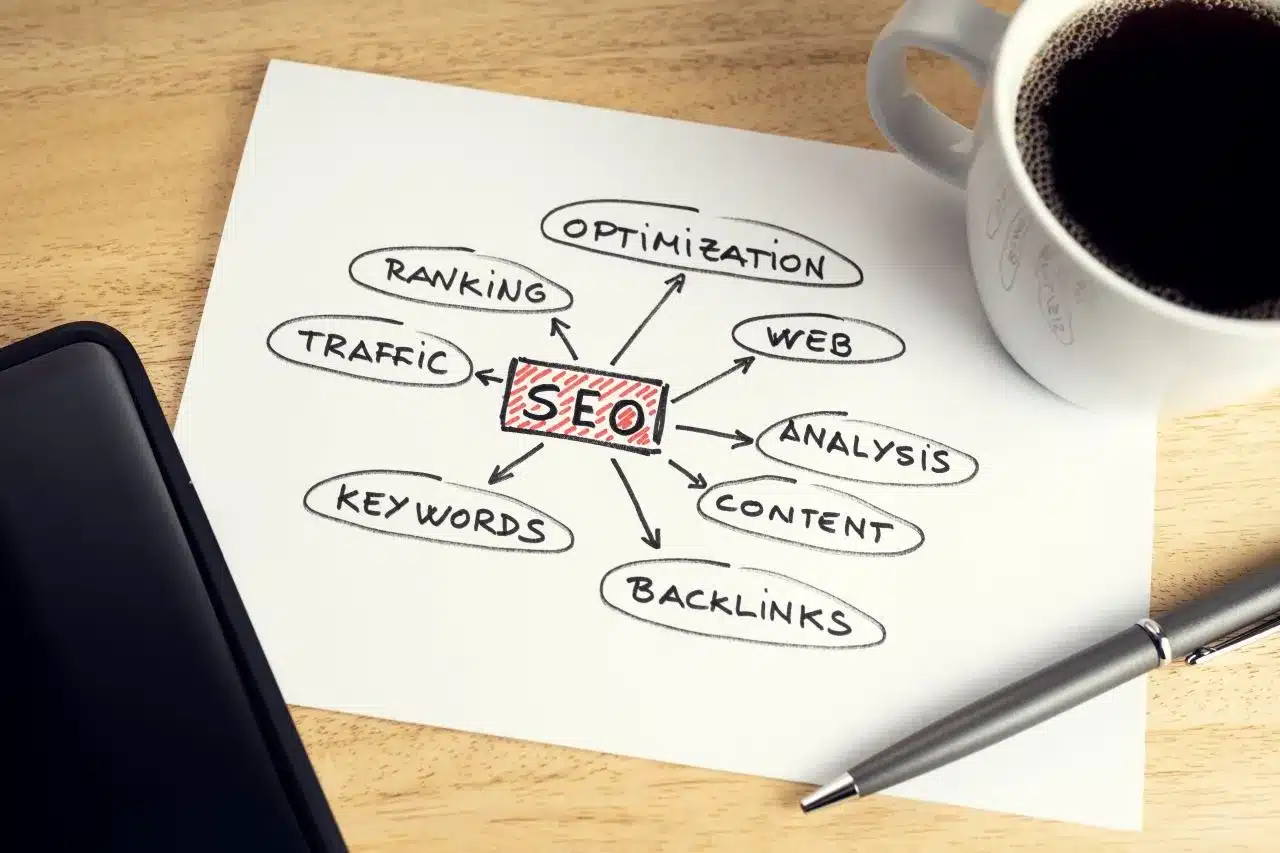
Đối với nhiều độc giả, ấn tượng đầu tiên về một ấn phẩm kỹ thuật số không phải là bìa sách. Đó có thể là kết quả tìm kiếm, bản tóm tắt do AI tạo ra, bản xem trước được nhúng, liên kết được chia sẻ hoặc một trang duy nhất trả lời một câu hỏi rất cụ thể. Nếu bản xem trước đó mơ hồ, người đọc sẽ không có lý do để tiếp tục. Nếu nó rõ ràng, cụ thể và hữu ích, ấn phẩm đó sẽ nhận được lượt nhấp chuột tiếp theo.
Đây là lý do tại sao công nghệ xuất bản hiện đại cần hỗ trợ nhiều hơn là chỉ chuyển đổi tập tin. Một ấn phẩm kỹ thuật số cần thể hiện mục đích của nó một cách nhanh chóng. Tiêu đề, mô tả, nhãn phần, văn bản thay thế hình ảnh, chú thích và liên kết nội bộ đều phối hợp với nhau để cho người đọc biết ấn phẩm đó chứa đựng gì và tại sao nó đáng để họ dành thời gian đọc.
Nếu gần đây bạn đã xem xét lại các quy trình xuất bản tổng quát, thì những ý tưởng trong Làm thế nào để xuất bản nội dung hiệu quả trong năm 2026 Chúng là những công cụ hỗ trợ hữu ích. Bước tiếp theo là làm cho mỗi ấn phẩm có thể được tìm thấy ở cấp độ trang và mục.
Build a discovery map before you design pages
Trước khi mở công cụ thiết kế, hãy phác thảo hành trình người đọc mà ấn phẩm của bạn cần hỗ trợ. Một danh mục sản phẩm có thể cần các hành trình để so sánh, xem thông số kỹ thuật, bối cảnh giá cả và ý định mua hàng. Một tài liệu hướng dẫn đào tạo có thể cần các hành trình cho việc giới thiệu, khắc phục sự cố và xem xét chính sách. Một cuốn cẩm nang thương hiệu có thể cần các hành trình cho việc sử dụng logo, hướng dẫn về giọng văn, mẫu và ví dụ.
Một bản đồ khám phá đơn giản có thể bao gồm:
- Mỗi phần trả lời câu hỏi chính.
- Mục đích tìm kiếm đằng sau câu hỏi đó.
- Hành động mà người đọc nên thực hiện sau khi đọc xong phần này.
- Liên kết nội bộ hoặc nút hỗ trợ hành động đó.
- Dấu hiệu trực quan giúp dễ dàng nhận biết phần đó.
Sơ đồ này giúp bạn tránh được một vấn đề thường gặp trong xuất bản kỹ thuật số: các trang đẹp nhưng khó điều hướng. Khi mỗi phần đều có một chức năng riêng, ấn phẩm cuối cùng sẽ hữu ích hơn và không chỉ đơn thuần là một tệp PDF tĩnh được chuyển lên mạng.
Make metadata part of the reading experience
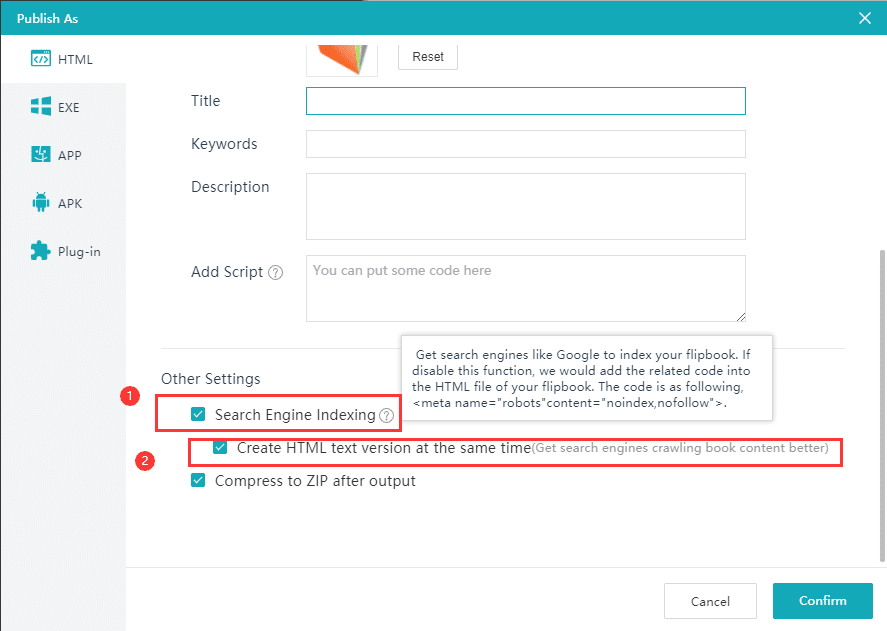
Siêu dữ liệu thường được coi là nhiệm vụ SEO cuối cùng, nhưng nó nên được kết nối với trải nghiệm đọc ngay từ đầu. Tiêu đề, đường dẫn URL, mô tả meta, tiêu đề phụ, văn bản thay thế hình ảnh và đoạn trích đều nên mô tả cùng một thông điệp nhưng theo những cách hơi khác nhau.
Ví dụ, nếu một hướng dẫn nói về việc chọn định dạng danh mục kỹ thuật số phù hợp, siêu dữ liệu không nên chỉ ghi đơn giản là “hướng dẫn danh mục”. Nó cần giải thích giá trị: chọn định dạng để đọc trên thiết bị di động, tìm kiếm sản phẩm, tăng khả năng hiển thị SEO hoặc hỗ trợ bán hàng. Siêu dữ liệu cụ thể tạo ra bản xem trước tìm kiếm tốt hơn và kỳ vọng tốt hơn cho người đọc.
Hãy thực hiện các bước kiểm tra này trước khi xuất bản:
- Tiêu đề có mô tả rõ ràng kết quả mà người đọc mong muốn không?
- Tiêu đề URL có bao gồm chủ đề chính mà không có từ ngữ thừa không?
- Liệu phần mô tả meta có giải thích được những gì người đọc sẽ học được không?
- Các tiêu đề H2 có đề cập đến các câu hỏi khác nhau không?
- Chú thích ảnh và văn bản thay thế có giải thích lý do tại sao mỗi hình ảnh được hiển thị không?
Turn long publications into scannable sections
Độc giả hiếm khi đọc các ấn phẩm kỹ thuật số theo một đường thẳng hoàn hảo. Họ lướt qua các tiêu đề, so sánh hình ảnh, chuyển đến các phần khác nhau và quyết định xem nội dung đó có đáng để đọc kỹ hơn hay không. Một ấn phẩm kỹ thuật số tốt sẽ tôn trọng hành vi đó.
Hãy sử dụng phần giới thiệu ngắn gọn, tiêu đề phụ mô tả, trích dẫn nổi bật, bảng so sánh và các điểm nhấn trực quan để giúp ấn phẩm dễ đọc lướt hơn. Trong sách lật và danh mục kỹ thuật số, điều này cũng có thể bao gồm mục lục có thể nhấp chuột, hình thu nhỏ, liên kết nhúng và lời kêu gọi hành động ở cấp độ trang.
Điều mấu chốt là làm cho mỗi trang đều dễ hiểu ngay cả khi đứng độc lập. Nếu người đọc truy cập trang 12 từ kết quả tìm kiếm hoặc liên kết được chia sẻ, họ vẫn cần biết mình đang ở đâu, nội dung của phần đó là gì và cần làm gì tiếp theo.
Use images as wayfinding, not decoration
Hình ảnh giúp ấn phẩm trở nên gần gũi hơn với người đọc, nhưng chúng cũng đóng vai trò cấu trúc quan trọng. Một hình ảnh mạnh mẽ có thể báo hiệu một phần mới, giải thích một quy trình, thể hiện chi tiết sản phẩm hoặc giảm bớt nỗ lực cần thiết để hiểu một trang. Một hình ảnh yếu chỉ lấp đầy khoảng trống mà không giúp ích gì cho người đọc.
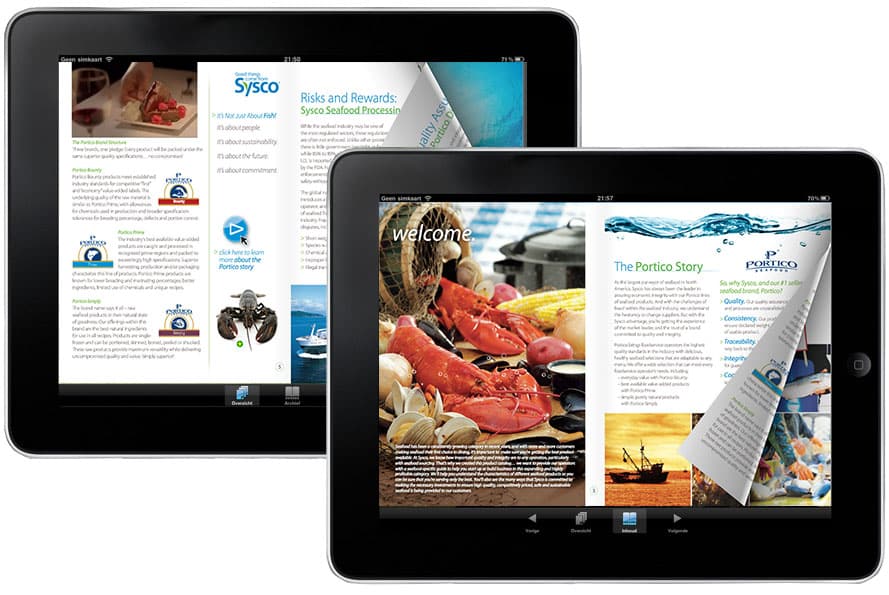
Hãy chọn những hình ảnh trực quan hỗ trợ việc ra quyết định. Danh mục sản phẩm cần có ảnh chi tiết, ảnh so sánh, các trường hợp sử dụng thực tế và các tính năng được chú thích. Báo cáo cần có biểu đồ, hình ảnh quy trình và đồ họa tóm tắt. Tài liệu đào tạo cần có ảnh chụp màn hình, các bước đánh dấu và ví dụ. Mỗi hình ảnh trực quan cần trả lời câu hỏi: điều này giúp người đọc hiểu nhanh hơn điều gì?
Hãy nhớ viết văn bản thay thế (alt text) mô tả chức năng của hình ảnh, chứ không chỉ vẻ ngoài của nó. “Máy tính bảng hiển thị danh mục sản phẩm kỹ thuật số” là chấp nhận được. “Bố cục danh mục sản phẩm kỹ thuật số thân thiện với thiết bị di động để tìm kiếm sản phẩm” sẽ hữu ích hơn khi đó chính là mục đích của hình ảnh.
Give every page a next step
Xuất bản kỹ thuật số đạt hiệu quả tốt nhất khi người đọc không phải đoán xem nội dung tiếp theo là gì. Trang danh mục có thể liên kết đến bộ sưu tập sản phẩm. Tài liệu quảng cáo có thể liên kết đến trang đặt chỗ. Hướng dẫn thương hiệu có thể liên kết đến các mẫu có thể tải xuống. Báo cáo có thể liên kết đến bài viết hoặc bản demo liên quan.
Các bước tiếp theo nên diễn ra một cách tự nhiên chứ không gượng ép. Hãy đặt chúng ở những vị trí mà người đọc có đủ ngữ cảnh để thực hiện: sau phần so sánh, bên dưới một ví dụ hữu ích, gần phần mô tả kỹ thuật hoặc ở cuối một phần. Nếu bạn đang sử dụng sách lật điện tử, hãy sử dụng các liên kết và nút tương tác một cách cẩn thận để đảm bảo mạch đọc liền mạch.
Để biết thêm thông tin về cách kết nối các trang có liên quan, hãy xem Các nhóm chủ đề dành cho nhà xuất bảnNguyên tắc tương tự cũng áp dụng bên trong một ấn phẩm: những đường dẫn phù hợp sẽ giúp người đọc tiếp tục theo dõi.
Measure attention with better signals
Lượt xem trang đơn thuần không thể giải thích liệu một ấn phẩm kỹ thuật số có hiệu quả hay không. Một kế hoạch đo lường tốt hơn cần xem xét cách người đọc di chuyển, họ dừng lại ở đâu, họ nhấp vào những liên kết nào và trang nào giúp tăng tỷ lệ chuyển đổi. Đối với các nhà xuất bản, nhà tiếp thị và đội ngũ bán hàng, những tín hiệu này hữu ích hơn nhiều so với tổng số lượt mở.
Các chỉ số hữu ích bao gồm:
- Những khu vực nào nhận được nhiều lượt truy cập lặp lại nhất?
- Nơi độc giả rời khỏi ấn phẩm.
- Những liên kết nhúng nào thu hút lượt nhấp chuột?
- Những trang nào được chia sẻ nhiều nhất?
- Những truy vấn tìm kiếm nào dẫn độc giả đến với ấn phẩm này?
Hãy sử dụng những hiểu biết này để làm mới ấn phẩm theo thời gian. Thêm tiêu đề rõ ràng hơn ở những phần độc giả bỏ dở giữa chừng. Di chuyển các liên kết quan trọng đến gần hơn các phần thu hút sự chú ý cao. Mở rộng các trang trả lời các truy vấn tìm kiếm quan trọng. Loại bỏ các trang không còn hỗ trợ hành trình đọc của độc giả.
A practical checklist for your next publication
Trước khi xuất bản, hãy kiểm tra danh sách này:
- Hãy viết một lời hứa rõ ràng dành cho độc giả về ấn phẩm này.
- Hãy nhóm các trang dựa trên câu hỏi của người đọc, chứ không chỉ riêng các phòng ban nội bộ.
- Hãy sử dụng các tiêu đề H2 và H3 có ý nghĩa ngay cả khi không xét đến ngữ cảnh.
- Thêm chú thích và văn bản thay thế cho các hình ảnh quan trọng.
- Tạo tiêu đề, đường dẫn, mô tả meta và đoạn trích ngắn gọn, phù hợp với SEO.
- Thêm liên kết nội bộ đến các bài viết liên quan, trang đích hoặc trang sản phẩm.
- Thêm các liên kết hướng dẫn bước tiếp theo ở những vị trí mà người đọc sẵn sàng hành động nhất.
- Kiểm tra trải nghiệm trên thiết bị di động trước khi xuất bản.
- Theo dõi mức độ tương tác và cải thiện các phần yếu sau khi ra mắt.
Final thoughts
Giai đoạn tiếp theo của xuất bản kỹ thuật số không chỉ đơn thuần là làm cho tài liệu trông đẹp hơn trên mạng. Đó là làm cho chúng dễ tìm kiếm hơn, dễ hiểu hơn và dễ sử dụng hơn. Tìm kiếm bằng AI, đọc lướt trước và duyệt web trên thiết bị di động đều ưu tiên những ấn phẩm có cấu trúc rõ ràng và ngữ cảnh hữu ích.
Khi bạn coi mỗi trang là một phần của hệ thống tìm kiếm lớn hơn, sách lật, danh mục, báo cáo và hướng dẫn của bạn sẽ trở nên hơn cả những tập tin kỹ thuật số thông thường. Chúng trở thành những tài sản nội dung có thể tìm kiếm, dễ đọc và hướng đến hành động, tiếp tục hoạt động hiệu quả lâu dài sau ngày xuất bản.