
Dobre vypracovaná školiaca príručka je základom efektívneho nástupu zamestnancov. Bez jasnej dokumentácie sa noví zamestnanci môžu cítiť stratení, zahltení a neistí svojou úlohou, čo vedie k pomalšiemu nástupu zamestnancov a vyššej fluktuácii. Dobrá správa? Nemusíte si vytvárať školiace materiály od začiatku. V tomto článku sme zhrnuli... 8 bezplatných šablón tréningových manuálov ktoré vám pomôžu vytvoriť profesionálne, pútavé a usporiadané úvodné dokumenty za zlomok času.
Či už ste majiteľom malej firmy, ktorý hľadá nového člena svojho prvého tímu, alebo ste odborníkom v oblasti ľudských zdrojov, ktorý chce vylepšiť svoj školiaci proces, tieto šablóny vám poskytnú náskok. Navyše vám ukážeme, ako premeniť statické PDF manuály na... interaktívne digitálne flipbooky pomocou nástrojov ako FlipBuilder a FlipHTML5, vďaka čomu budú vaše školiace materiály pútavejšie ako kedykoľvek predtým.

Why Training Manuals Matter for Employee Onboarding
Predtým, ako sa pustíme do šablón, si stručne ukážme, prečo sú školiace manuály také dôležité:
- Konzistencia: Každý nový zamestnanec získa rovnaké základné vedomosti, čím sa znižuje nedorozumenia a chyby.
- Účinnosť: Manažéri trávia menej času opakovaním tých istých informácií. Komplexná príručka uvoľňuje čas na praktické mentorstvo.
- Súlad: Dokumentovanie politík, bezpečnostných postupov a očakávaní na pracovisku pomáha právne chrániť vašu spoločnosť.
- Dôvera zamestnancov: Noví zamestnanci, ktorí sa cítia pripravení a informovaní, majú väčšiu šancu na úspech – a zotrvanie.
- Škálovateľnosť: S rastom vašej spoločnosti sa bude s vami prispôsobovať aj solídna príručka pre školenia. Stačí ju raz aktualizovať a bude platiť v celej spoločnosti.
Podľa štúdie spoločnosti Brandon Hall Group spoločnosti so silným procesom nástupu do zamestnania zlepšujú mieru udržania nových zamestnancov o 82% a produktivitu o viac ako 70%. Dobre štruktúrovaná školiaca príručka je kľúčovým prvkom tejto skladačky.
What to Include in a Training Manual
Pred výberom šablóny je užitočné vedieť, ktoré časti zvyčajne pokrýva kvalitná príručka pre školenia. Skvelá príručka pre školenia zvyčajne obsahuje:
- Uvítacia správa: Priateľské predstavenie od vedenia udáva tón.
- Prehľad spoločnosti: Poslanie, hodnoty, história a organizačná štruktúra.
- Pokyny špecifické pre danú prácu: Podrobné návody na úlohy, ktoré bude zamestnanec vykonávať denne.
- Zásady a postupy: Dochádzka, pravidlá obliekania, používanie IT a bezpečnosť na pracovisku.
- Nástroje a systémy: Prihlasovacie údaje, softvérové príručky a pokyny k vybaveniu.
- Sekcia Často kladených otázok: Odpovede na bežné otázky nových zamestnancov.
- Hodnotenie alebo kvíz: Krátke hodnotenie na potvrdenie pochopenia látky.
S ohľadom na tieto prvky sa pozrime na šablóny, ktoré uľahčia vytvorenie vašej príručky. Ak potrebujete popri školiacich materiáloch vytvoriť aj príručku pre zamestnancov, pozrite si nášho sprievodcu ako vytvoriť príručku pre zamestnancov pre podrobné tipy.
8 Free Training Manual Templates
1. Canva – Modern Training Manual Template
Canva ponúka prepracovanú šablónu školiacej príručky s funkciou drag-and-drop, ktorá je ideálna pre tímy, ktoré chcú vizuálne príťažlivý dizajn bez toho, aby si museli najať grafického dizajnéra. Šablóna obsahuje čistú typografiu, farebné sekcie s logom značky a zástupné obrázky, ktoré si môžete vymeniť za vlastné. Je dostupná vo veľkostiach A4 a US Letter, takže je ideálna na digitálnu distribúciu aj tlač.
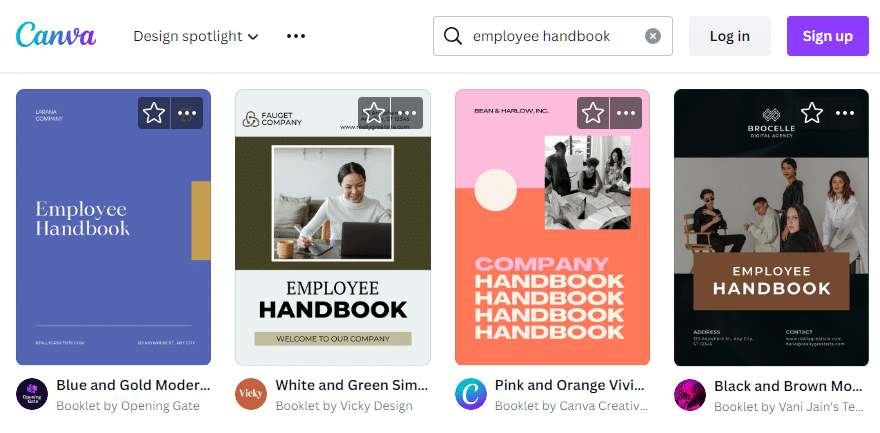
Najlepšie pre: Tímy, ktoré chcú mať plnú kontrolu nad dizajnom s intuitívnym rozhraním.
Formát: PDF, PNG alebo upraviteľné online
Cena: Zadarmo (s dostupnými prémiovými prvkami)
2. Microsoft Word – Corporate Training Guide Template
Spoločnosť Microsoft poskytuje prehľadnú a štruktúrovanú šablónu školiacej príručky pre Word. Obsahuje predformátované nadpisy, obsah, očíslované kroky a popisné polia. Ak vaša organizácia používa Microsoft 365, je to najjednoduchšia možnosť – nemusíte sa učiť žiadne nové nástroje.
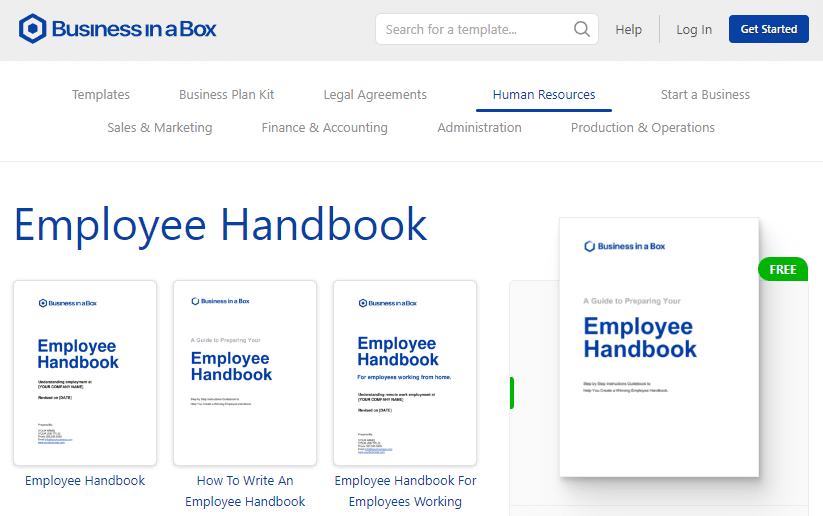
Najlepšie pre: Organizácie, ktoré už používajú Microsoft 365 a chcú jednoduché úpravy.
Formát: .docx (upraviteľné vo Worde, Google Dokumentoch)
Cena: Zadarmo s účtom Microsoft
3. Google Docs – Step-by-Step Training Manual Template
Šablóny školiacich manuálov pre Dokumenty Google sú fantastické pre distribuované tímy. Keďže sú umiestnené v cloude, na dokumente môže v reálnom čase spolupracovať viacero ľudí. Šablóna s podrobným návodom obsahuje sekcie kontrolných zoznamov, zástupné symboly obrázkov a štruktúrované rozloženie, ktoré je ideálne pre procedurálne školenia.
Najlepšie pre: Vzdialené tímy, ktoré potrebujú spoločnú úpravu.
Formát: Dokument Google (exportovateľný do PDF, DOCX)
Cena: Zadarmo
4. ClickUp – New Hire Training Checklist Template
Šablóna školenia ClickUp pristupuje trochu inak, kombinuje dokumentáciu s projektovým riadením. Je štruktúrovaná ako manuál v štýle kontrolného zoznamu, kde môžete priradiť úlohy, nastaviť termíny a sledovať ich dokončenie. Vďaka tomu je ideálna pre štruktúrované nástupné programy s viacerými fázami školenia.
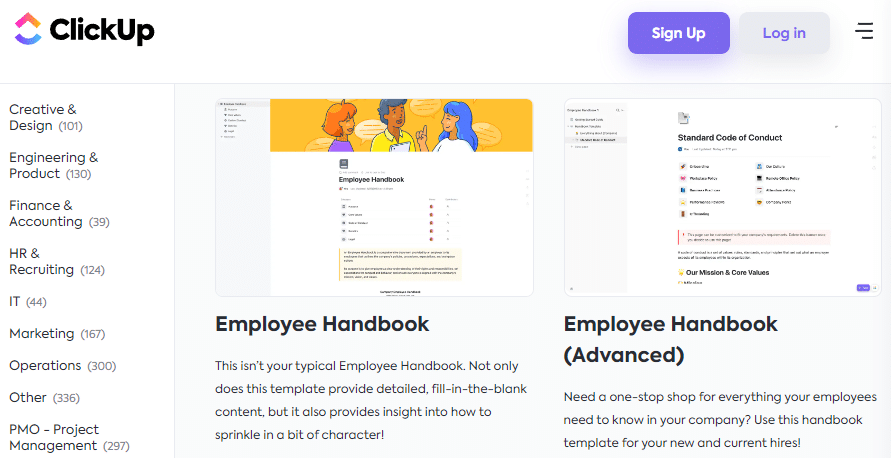
Najlepšie pre: Tímy, ktoré chcú kombinovať dokumentáciu o školeniach so sledovaním úloh.
Formát: Šablóna pracovného priestoru ClickUp
Cena: Zadarmo (s účtom ClickUp)
5. HubSpot – Employee Training & Onboarding Template
HubSpot ponúka komplexnú šablónu pre školenia a úvodné školenia, ktorá presahuje rámec základných pokynov. Zahŕňa sekcie s cieľmi na 30-60-90 dní, očakávaniami od pozícií, predstavením tímu a míľnikmi školenia. Šablóna je dobre brandovaná a profesionálna, vhodná pre spoločnosti B2B a SaaS.
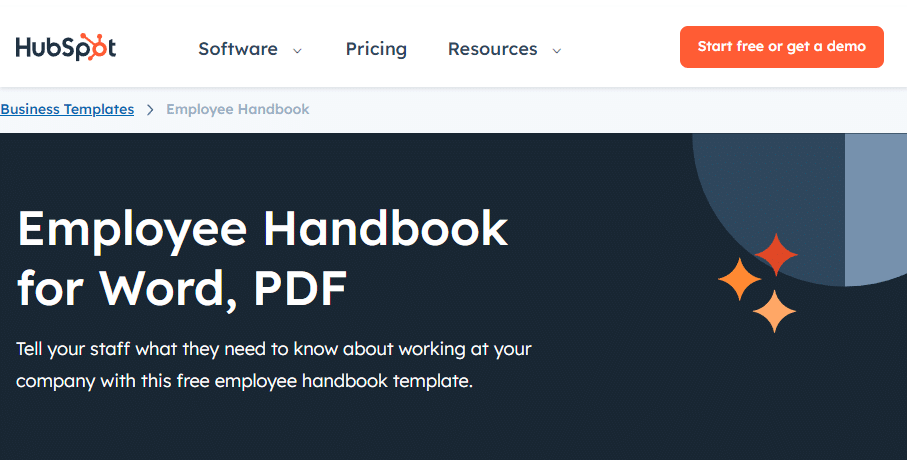
Najlepšie pre: B2B spoločnosti a startupy hľadajúce komplexný rámec pre onboarding.
Formát: PDF, Dokumenty Google
Cena: Bezplatné stiahnutie (vyžaduje sa e-mail)
6. Visme – Visual Training Manual Template
Ak je váš školiaci obsah zameraný na obrázky – napríklad bezpečnostné postupy, obsluhu zariadení alebo vizuálne pracovné postupy – šablóna Visme je dobrou voľbou. Podporuje infografiku, ikony, grafy a vizuálne prvky značky. Videá a odkazy môžete vložiť priamo do digitálnej verzie, čím sa z nej stane vysoko interaktívny zážitok.
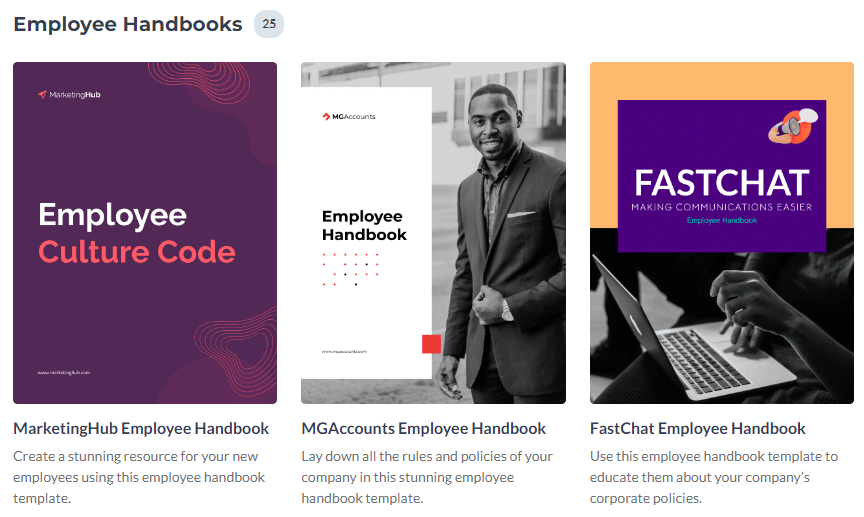
Najlepšie pre: Tréningové programy, ktoré sa vo veľkej miere spoliehajú na vizuálne prvky a multimédiá.
Formát: PDF, HTML5, editovateľné online
Cena: Zadarmo (s možnosťami prémiového upgradu)
7. Venngage – Illustrated Employee Training Manual Template
Venngage sa špecializuje na dokumenty v štýle infografiky a ich šablóna školiacej príručky to odráža. Používa farebné ilustrácie, ikony a vizuálne časové osi na rozdelenie hustých informácií. Vďaka tomu je obzvlášť efektívna pre školiace materiály, ktoré potrebujú vysvetliť zložité procesy v zrozumiteľnom formáte.
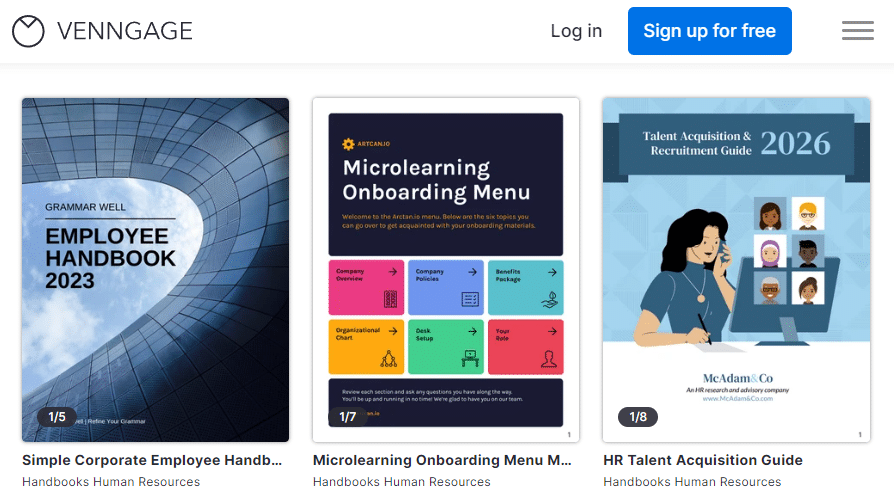
Najlepšie pre: Tímy, ktoré chcú rozloženie v štýle infografiky na zjednodušenie zložitého školiaceho obsahu.
Formát: PDF, PNG, editovateľné online
Cena: Zadarmo (obmedzený export v rámci bezplatného plánu)
8. FlipHTML5 – Interactive Digital Training Manual Template
FlipHTML5 sa odlišuje od ostatných, pretože vám umožňuje premeniť vašu školiacu príručku na plne interaktívny digitálny flipbook. Nahrajte svoj PDF súbor a FlipHTML5 ho automaticky prevedie na publikáciu s možnosťou otáčania strán s multimediálnou podporou vrátane vložených videí, zvuku, hypertextových odkazov a animácií. knižnica šablón zahŕňa profesionálne rozloženia pre nástup a školenia, ktoré je možné prispôsobiť.
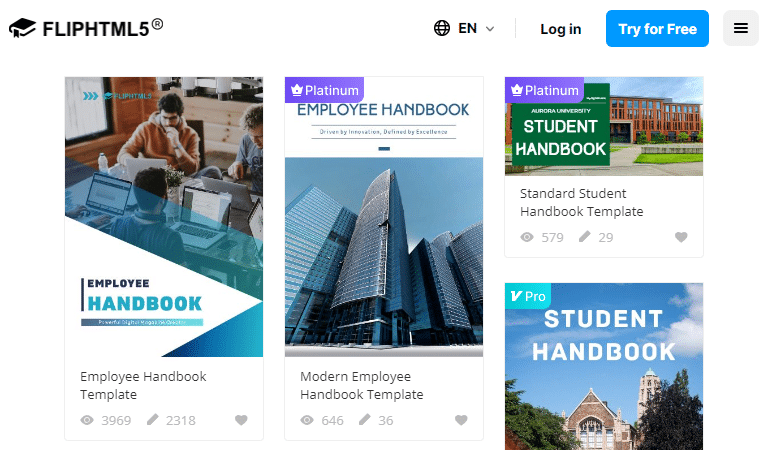
Najlepšie pre: Spoločnosti, ktoré chcú interaktívny a pútavý zážitok z digitálneho školenia so vstavanou analytikou.
Formát: Digitálny flipbook (prezerateľný na akomkoľvek zariadení)
Cena: K dispozícii je bezplatný plán; prémiové plány s pokročilými funkciami
FlipHTML5 je obzvlášť účinný pre školiace manuály vďaka možnosti sledovať zapojenie čitateľov. Vstavaná analytický panel ukazuje vám, na ktorých stránkach trávia zamestnanci najviac času, čo vám pomáha identifikovať oblasti, ktoré môžu vyžadovať dodatočné školenie alebo jasnejšiu dokumentáciu. Viac informácií si môžete pozrieť v Vzdelávacie centrum FlipHTML5.
How to Turn Your Training Manual into an Interactive Flipbook
Keď si vytvoríte školiacu príručku pomocou ktorejkoľvek z vyššie uvedených šablón, ďalším krokom je distribúcia. Poslanie 40-stranového PDF súboru e-mailom je v poriadku, ale jeho premena na interaktívny digitálny flipbook je oveľa účinnejší. Tu je dôvod:
- Vyššia angažovanosť: Efekt pretáčania stránok udrží čitateľov v pozornosti dlhšie ako rolovanie cez plochý PDF dokument.
- Multimediálna integrácia: Vložte školiace videá, zvukové pokyny a klikateľné odkazy priamo do manuálu.
- Jednoduché zdieľanie: Zdieľajte jeden odkaz – nie sú potrebné žiadne súbory na stiahnutie ani prílohy.
- Analytics: Sledujte, kto si manuál prezeral, ako dlho ho prezeral a ktoré časti si prečítal.
- Vhodné pre mobilné zariadenia: Flipbooky sú responzívne a fungujú na akomkoľvek zariadení, čo je nevyhnutné pre pracovníkov pracujúcich na diaľku alebo v teréne.
Na prevedenie tréningovej príručky do formátu flipbooku môžete použiť Flip PDF Pro pre efektívne prostredie na počítači. Jednoducho importujte PDF, pridajte interaktívne prvky, ako je video a zvuk, prispôsobte dizajn a publikujte. Je to také jednoduché, ako to znie.
Ak uprednostňujete prácu výlučne online, FlipHTML5 ponúka cloudové riešenie. Nahrajte PDF s vašou školiacou príručkou a platforma automaticky vygeneruje interaktívny flipbook, ktorý môžete zdieľať prostredníctvom odkazu, vložiť do intranetu alebo distribuovať prostredníctvom vášho LMS. Generátor elektronických kníh s umelou inteligenciou funkcia vám dokonca môže pomôcť rýchlejšie vytvárať obsah automatickým generovaním rozložení a návrhov obsahu.

Tips for Creating an Effective Training Manual
Mať skvelú šablónu je len polovica úspechu. Tu je niekoľko osvedčených postupov, ako dosiahnuť, aby bola vaša školiaca príručka skutočne efektívna:
1. Know Your Audience
Školiaca príručka pre skladníkov vyzerá veľmi odlišne od príručky pre softvérových inžinierov. Prispôsobte jazyk, vizuálne prvky a príklady úrovni skúseností a požiadavkám na danú pozíciu vášho publika.
2. Use Clear, Concise Language
Vyhýbajte sa žargónu a príliš zložitým vetám. Píšte tak, aby jej rozumel aj nový zamestnanec bez predchádzajúcich znalostí o spoločnosti. Používajte aktívny rod a krátke odseky.
3. Include Visuals
Snímky obrazovky, diagramy, vývojové diagramy a fotografie sprehľadňujú pokyny a znižujú nejednoznačnosť. Obrázok skutočne vydá za tisíc slov pri vysvetľovaní viackrokového procesu. Nástroje ako aplikácie na tvorbu sprievodcov vám môže pomôcť s návrhom vizuálne bohatých manuálov.
4. Break Content into Modules
Usporiadajte si manuál do logických častí alebo modulov. To uľahčí zamestnancom neskoršie vyhľadávanie konkrétnych informácií a umožní postupné školenie.
5. Add Interactive Elements
Ak distribuujete digitálne, pridajte klikateľné odkazy, vložené videá a kvízy. Nástroje ako FlipHTML5 to uľahčujú aj pre netechnických používateľov. Pre inšpiráciu si pozrite tieto nápady na interaktívny pracovný zošit.
6. Update Regularly
Politiky sa menia, nástroje sa aktualizujú a procesy sa vyvíjajú. Naplánujte si štvrťročné kontroly svojej školiacej príručky, aby bola aktuálna. Zastarané informácie sú horšie ako žiadne informácie.
7. Gather Feedback
Po absolvovaní školenia požiadajte zamestnancov o spätnú väzbu k samotnej príručke. Čo bolo mätúce? Čo bolo užitočné? Využite tieto informácie na neustále zlepšovanie svojich úvodných materiálov.
Training Manual vs. Employee Handbook: What’s the Difference?
Tieto dva dokumenty sa často zamieňajú, ale slúžia rôznym účelom:
- Tréningová príručka: Zameriava sa na ako robiť prácu—podrobné postupy, pokyny k nástrojom a pracovné postupy špecifické pre danú úlohu.
- Príručka pre zamestnancov: Zameriava sa na firemné zásady—kódex správania, benefity, pravidlá týkajúce sa dovolenky a očakávania na pracovisku.
V ideálnom prípade by váš adaptačný program mal zahŕňať oboje. Príručka pre zamestnancov stanovuje kultúrny a právny základ, zatiaľ čo školiaca príručka vybavuje zamestnancov praktickými zručnosťami, ktoré potrebujú na výkon svojej práce. Inšpiráciu k príručke nájdete v týchto dokumentoch. príklady príručky pre zamestnancov a zadarmo šablóny príručiek pre zamestnancov.
Môžete tiež použiť šablóny zošitov pre interaktívne tréningové cvičenia, ktoré dopĺňajú váš manuál.
How to Distribute Your Training Manual Effectively
Vytvorenie manuálu je prvým krokom. Druhým krokom je jeho sprístupnenie (a sprístupnenie) vašim zamestnancom. Tu sú najefektívnejšie metódy distribúcie:
- Intranet spoločnosti: Pre jednoduchý prístup k manuálu si ho kedykoľvek uložte na svoj interný portál.
- E-mail: Po pripojení zamestnancov odošlite priamy odkaz na digitálnu verziu flipbooku.
- Integrácia LMS: Nahrajte manuál do svojho systému riadenia vzdelávania ako súčasť štruktúrovaného úvodného kurzu.
- QR kód: Umiestnite na pracovisko QR kódy, ktoré priamo odkazujú na príslušné časti školiaceho manuálu.
- Tlač + digitálna tlač: Poskytnite vytlačenú kópiu pre referenciu spolu s odkazom na digitálny flipbook s interaktívnymi prvkami.
Používanie digitálneho formátu flipbooku prostredníctvom FlipHTML5 vám poskytuje najväčšiu flexibilitu. Získate odkaz na zdieľanie, kód na vloženie pre vašu webovú stránku a dokonca aj možnosti offline prezerania. Ďalšie nápady na digitálnu distribúciu nájdete v tomto príspevku na vytváranie interaktívnych digitálnych pracovných zošitov.
Conclusion
Premyslene navrhnutá školiaca príručka môže dramaticky zlepšiť váš proces nástupu do zamestnania a pomôcť novým zamestnancom cítiť sa sebavedomo, produktívne a v súlade s hodnotami vašej spoločnosti od prvého dňa. S týmito... 8 bezplatných šablón, nemusíte začínať od prázdnej stránky – stačí si vybrať tú, ktorá vyhovuje vašim potrebám, prispôsobiť ju a ste pripravení.
Ak chcete posunúť svoje školiace materiály na vyššiu úroveň, zvážte ich konverziu do interaktívnych digitálnych flipbookov. Či už používate Flip PDF Pro pre desktopové publikovanie alebo FlipHTML5 Výsledkom je pútavejšie, sledovateľnejšie a profesionálnejšie školenie, ktoré sa prispôsobí vášmu tímu.
Ready to Create Interactive Training Manuals?
Premeňte svoje školiace materiály vo formáte PDF na pútavé digitálne flipbooky, ktoré si zamestnanci skutočne chcú prečítať.