
Azoknak a csapatoknak, akik összehasonlítják a Digitális Kiadói Platform vagy Tartalom közzétételi platformA FlipHTML5 hasznos referenciapont a csatlakozáshoz Digitális Kiadó online terjesztéssel és olvasóbarát megjelenítéssel rendelkező munkafolyamatok.
A digitális kiadók folyamatosan frissítik a cikkeket. Kijavítják a linkeket, lecserélik a képernyőképeket, frissítik a termék részleteit, új példákat adnak hozzá, javítják a metaadatokat, és néha egész szakaszokat írnak át a keresési szándék megváltozása után. A munka értékes, de az olvasók ritkán látják a mögötte álló szerkesztői gondosságot.
Tartalomfrissítési megjegyzések Tedd láthatóvá ezt a törődést. Egy rövid megjegyzéssel elmagyarázhatod, mi változott, miért vizsgálták felül a cikket, és mennyire aktuális az útmutató. A nagy, örökzöld archívummal rendelkező kiadók számára a frissítési megjegyzések egy praktikus bizalmi réteget jelentenek, amely támogatja az olvasókat, a szerkesztőket, a keresőcsapatokat és a tartalom újrafelhasználását.
Miért fontosak a frissítési jegyzetek?
Az olvasók tudni akarják, hogy egy kalauz továbbra is megbízható-e. A keresést végző látogatók több oldalt is összehasonlíthatnak, mielőtt eldöntenék, melyik forrásban bíznak meg. A hírlevélre feliratkozók hónapokkal később visszatérhetnek egy régebbi cikkhez. A mesterséges intelligencia által támogatott felderítés az eredeti kontextusán kívül is felszínre hozhatja az archivált tartalmakat. Minden esetben egy látható frissítési megjegyzés segít az olvasónak megérteni, hogy az oldalt karbantartották-e.
A frissítési jegyzetek különösen hasznosak a digitális kiadói csapatok számára, mivel a tartalmat gyakran újra felhasználják különböző formátumokban: webes cikkek, lapozható kiadványok, hírlevelek, értékesítési források, tudásbázisok és közösségi média előnézetek. Ha a forráscikk egyértelmű módosítási rekorddal rendelkezik, minden újrafelhasználási döntés könnyebbé válik.
A jelentőségteljes változtatásokhoz használj jegyzeteket, ne az apró szerkesztésekhez
Nem minden szerkesztés érdemel nyilvános megjegyzést. Egy elgépelés javítása, egy mondat szűkítése vagy az írásjelek átdolgozása általában nem változtatja meg az olvasó megértését. A frissítési megjegyzéseket csak azokra a változtatásokra kell fenntartani, amelyek a pontosságot, a hasznosságot, a terjedelmet, a frissességet vagy a megbízhatóságot befolyásolják.
- Tényfrissítések: frissített statisztikák, dátumok, szabványok, eszköznevek, árképzési nyelvezet vagy szabályzathivatkozások.
- Munkafolyamat-változások: új lépések, eltávolított lépések, frissített képernyőképek vagy módosított ajánlások.
- Szerkezeti fejlesztések: hozzáadott szakaszok, egyértelműbb címsorok, új GYIK vagy erősebb belső linkek.
- Hatályváltozások: Az útmutató mostantól új közönséget, formátumot, terméket, régiót vagy közzétételi csatornát is lefed.
- Átláthatósági igények: javítások, forrásmódosítások, mesterséges intelligencia által nyújtott segítségnyújtás közzététele vagy jogokkal kapcsolatos frissítések.
Hozz létre egy egyszerű frissítési megjegyzés modellt
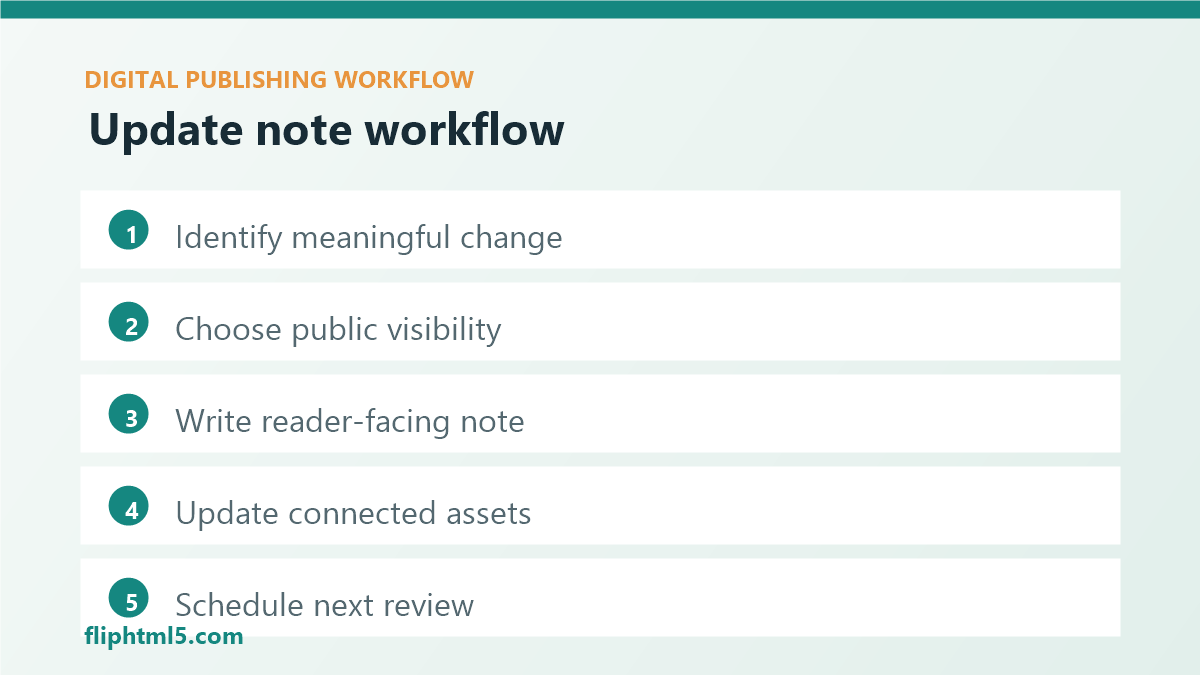
Egy jó frissítő jegyzet rövid, konkrét és könnyen áttekinthető. Nem úgy olvasható, mint a belső projektmenedzsment szövege. Az olvasónak csak azokra az információkra van szüksége, amelyek segítenek megítélni a cikk aktuális értékét.
Használjon konzisztens modellt négy mezővel:
- Dátum: mikor vizsgálták felül vagy frissítették lényegesen a cikket.
- Változás típusa: áttekintve, frissítve, javítva, bővítve, összevonva vagy átírva.
- Ami változott: a gyakorlati szerkesztés közérthető nyelven.
- Miért fontos: az olvasó számára hasznos információk, például aktuális útmutatók, világosabb munkafolyamat vagy frissített példák.
Hová kell tenni a frissítési jegyzeteket
Az elhelyezés a frissítés típusától függ. Az örökzöld útmutatóknál egy rövid, a cikk tetejéhez közeli megjegyzés megnyugtathatja az olvasókat, mielőtt időt szánnának rá. Javítások esetén olyan helyre tegye a megjegyzést, ahol az olvasók könnyen láthatják anélkül, hogy keresgélnének. Részletes változtatási előzmények esetén tartson egy tömör nyilvános megjegyzést a cikk közelében, és tárolja a teljes szerkesztői naplót a CMS-ben.
Egy praktikus módszer, ha egy látható megjegyzést teszünk közzé a bevezető alatt vagy a megjelenési dátum közelében, majd a szerkesztők számára mélyebb belső feljegyzéseket vezetünk. Ez elkerüli a zsúfoltságot, miközben megőrzi az elszámoltathatóságot.
Írj olyan jegyzeteket, amelyeket az olvasók megérthetnek
A jó frissítési megjegyzések kerülik a homályos nyelvezetet. A „Frissítve a frissesség kedvéért” kevésbé hasznos, mint az „Áttekintve 2026 augusztusában, és kibővítve egy ötlépéses metaadat-minőség-ellenőrzési listával”. A második változat elmondja az olvasóknak, hogy mi változott, és miért érdemes továbbra is használni az oldalt.
Használjon közvetlen nyelvezetet:
- Véleményezve: „Felülvizsgálva: 2026. augusztus; a linkek, képernyőképek és ajánlások továbbra is aktuálisak.”
- Frissítve: „Frissítve 2026 augusztusában új munkafolyamat-lépésekkel és felülvizsgált SEO metaadat-útmutatóval.”
- Javítva: „Javítottam egy hibás forráslinket és pontosítottam az ajánlást az analitikai részben.”
- Kiterjesztett: „Kiegészítve egy ellenőrzőlistával az EPUB, a flipbook és a hírlevél újrafelhasználásához.”
Frissítési jegyzetek összekapcsolása SEO frissítési munkafolyamatokkal
A tartalomfrissítési munkák gyakran a rangsorolásra, a címsorokra, a keresési szándékra és a belső linkekre összpontosítanak. A frissítési jegyzetek egy olvasóbarát réteget adnak ehhez a folyamathoz. Megmutatják, hogy az oldalt nem csupán a forgalom növelése érdekében módosították, hanem a hasznosság érdekében is karbantartották.
A SEO-ra fókuszáló kiadói csapatok számára a frissítési megjegyzések csökkenthetik a zavart, amikor egy cikk URL-címe ugyanaz marad, de jelentősen megváltozik. A szerkesztőknek erős URL-címeket kell használniuk, ha a téma és a szándék változatlan marad, de az oldalon továbbra is tájékoztatni kell az olvasókat a fontos útmutatók változásairól.
Irányítás beépítése a CMS-be
A frissítési megjegyzések akkor válnak megbízhatóvá, ha a közzétételi munkafolyamat részét képezik, és nem utólagos gondolatok. Adjon hozzá mezőket az utolsó ellenőrzés dátumához, a frissítés típusához, a nyilvános megjegyzéshez, a belső változtatások összegzéséhez, az ellenőrzőhöz és a következő ellenőrzés dátumához. Ha lehetséges, tegye a nyilvános megjegyzést opcionálissá kisebb módosításokhoz, és kötelezővé nagyobb frissítésekhez vagy javításokhoz.
Az irányításnak azt is meg kell határoznia, hogy ki hagyhatja jóvá az egyes frissítéstípusokat. Egy rutinszerű linkfrissítéshez elegendő lehet egy szerkesztő. Egy javításhoz szerkesztői vezetőre lehet szükség. Egy megfelelőségi szempontból érzékeny útmutatóhoz jogi, termék- vagy tárgykörbeli felülvizsgálatra lehet szükség a jegyzet közzététele előtt.
Gyakorlati frissítési ellenőrzőlista
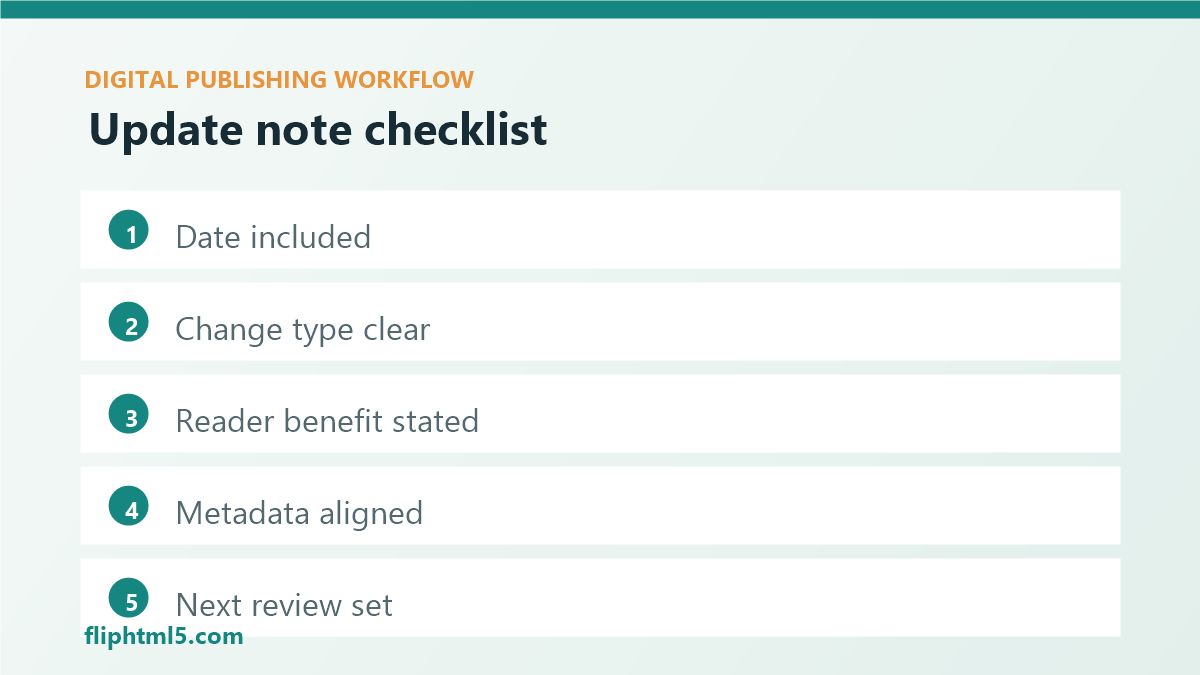
- A változás szintjének megerősítése: kisebb szerkesztés, áttekintés, frissítés, javítás, bővítés vagy átírás.
- A láthatóság meghatározása: nyilvános jegyzet, csak belső napló, vagy mindkettő.
- Írd le a jegyzetet: tartalmazza a dátumot, a változás típusát, a változás mibenlétét és az olvasó számára nyújtott előnyöket.
- Metaadatok ellenőrzése: Igazítsa a címet, a részletet, a meta leírást, a címsorokat és a kép alt szövegét a frissített oldalhoz.
- Csatlakoztatott eszközök frissítése: hírlevelek, lapozható kiadványok, letölthető PDF-ek, belső linkek és témaközpontok.
- A következő értékelés beállítása: Válasszon egy dátumot vagy eseményindítót a téma kockázata és a forgalom értéke alapján.
Gyakori hibák, amelyeket el kell kerülni
- Homályos jegyzetek közzététele: Az olvasóknak tudniuk kell, mi változott a belső rövidítések megfejtése nélkül.
- Apróbb javítások kiemelése: A túl sok apró hangjegy megnehezíti a fontos változások észrevételét.
- Javítások elrejtése: az érdemi javításoknak láthatónak és egyértelműnek kell lenniük.
- Újrafelhasznált tartalom elfelejtése: Frissítse a lapozható kiadványokat, hírleveleket, PDF-eket és közösségi média előnézeteket, amikor a forrás megváltozik.
- Nincs tulajdonjog: kijelöli a felülvizsgálati dátumokért és a jóváhagyásért felelősöket.
A lényeg
A tartalomfrissítési jegyzetek segítenek a digitális kiadóknak láthatóvá tenni a karbantartást. Megmutatják az olvasóknak, mi változott, segítenek a szerkesztőknek elkerülni a duplikált munkát, támogatják a SEO frissítéseket, és megvédik a bizalmat, amikor az örökzöld tartalom fejlődik. Kezdj egy egyszerű négymezős jegyzettel, tarts fenn nyilvános jegyzeteket a jelentős változásokhoz, és kösd össze a folyamatot a szokásos archívum-ellenőrzési munkafolyamatoddal.