
Gerade für Kleinunternehmer zählt jeder Cent – und professionelle Marketingmaterialien müssen nicht teuer sein. Die gute Nachricht: Sie müssen nicht bei null anfangen. Kostenlose Broschürenvorlagen bieten Ihnen ansprechende, druckfertige Designs ohne die hohen Kosten eines Designers. In diesem Leitfaden haben wir die besten kostenlosen Broschürenvorlagen für Kleinunternehmen zusammengestellt – von Falt- und Dreifachfaltung bis hin zu Halb- und Digitalformaten. Egal, ob Sie ein Produkt bewerben, eine Dienstleistung präsentieren oder ein Markenhandbuch erstellen möchten: Hier finden Sie die passende Vorlage für Ihre Bedürfnisse.
Bereit für ein Upgrade Ihrer Marketingmaterialien? Dann legen wir los.
Why Free Brochure Templates Matter for Small Businesses
Kleinunternehmen arbeiten oft mit knappen Budgets und begrenzten Designressourcen. Ein gut gestaltetes Broschüre Broschüren können ein wirkungsvolles Marketinginstrument sein – sie sind handlich, greifbar und hinterlassen einen bleibenden Eindruck bei potenziellen Kunden. Die Beauftragung eines Grafikdesigners für die Erstellung individueller Broschüren kann jedoch Hunderte oder sogar Tausende von Dollar kosten.
Hier kommen kostenlose Broschürenvorlagen ins Spiel. Diese vorgefertigten Layouts bieten Ihnen Folgendes:
- Professionelle Qualität ohne den hohen Preis eines Profis
- Schnelle Bearbeitungszeit — Herunterladen, anpassen und in wenigen Minuten ausdrucken
- Vielseitigkeit — Die Vorlagen eignen sich für Produktkataloge, Speisekarten, Veranstaltungsflyer und vieles mehr.
- Einfache Anpassung — Tauschen Sie Texte, Farben und Bilder aus, um sie an Ihre Marke anzupassen
Wenn Sie noch einen Schritt weiter gehen möchten, eignen sich Tools wie beispielsweise FlipHTML5 Sie können diese Vorlagen in interaktive digitale Broschüren mit Umblättereffekten, Multimedia-Einbettung und Online-Sharing umwandeln – ganz ohne Programmierung. Eine moderne Interpretation eines klassischen Marketingformats.
Best Free Bifold Brochure Templates
Eine zweifach gefaltete Broschüre – auch Halbfaltbroschüre genannt – wird einmal in der Mitte gefaltet und besteht somit aus vier Seiten. Sie ist ein Klassiker für Produktpräsentationen, Serviceangebote und Markenübersichten. Hier finden Sie die besten kostenlosen Vorlagen für zweifach gefaltete Broschüren für kleine Unternehmen.
1. Minimalist Product Showcase Bifold
Klare, großzügige Layouts mit Platz für hochwertige Produktfotos. Diese Vorlage eignet sich hervorragend für Boutiquen, Manufakturen und spezialisierte Dienstleistungsunternehmen. Die Innenseiten bieten Raum für detaillierte Produktbeschreibungen, während die Außenseite einen starken Markenauftritt ermöglicht.
Ideal für: Einzelhandelsgeschäfte, Kosmetikmarken, Boutique-Bekleidungslinien
Hauptmerkmale:
- Fotoorientiertes Layout mit großzügigem Weißraum
- Separate Abschnitte für Preise und Produktdetails
- Einfach bearbeitbare Farbblöcke zur Markenanpassung
- Druckfertig mit Anschnittmarken
2. Professional Services Bifold
Diese speziell für Beratungsunternehmen, Agenturen und Freiberufler entwickelte Faltvorlage bietet separate Bereiche für Leistungsbeschreibungen, Prozessbeschreibungen und Kontaktinformationen. Ihr strukturiertes Layout vermittelt Kompetenz und Zuverlässigkeit – genau die Botschaft, die kleine Unternehmen senden möchten.
Ideal für: Beratungsfirmen, Marketingagenturen, freiberufliche Fachkräfte
Hauptmerkmale:
- Strukturierte Bedienfeldanordnung für eine übersichtliche Servicepräsentation
- Abschnitt für Erfahrungsberichte oder soziale Beweise auf den Innenseiten
- Die Kontaktdaten sind gut sichtbar auf der Rückseite angebracht.
- Kompatibel mit Canva, Adobe InDesign und Microsoft Word
Best Free Trifold Brochure Templates
Dreifach gefaltete Broschüren werden in Drittel gefaltet und ergeben so sechs Seiten. Dieses Z- oder Dreifachfaltformat ist eines der beliebtesten Broschürenformate, da es maximalen Platz auf einer kompakten und leicht zu verteilenden Fläche bietet. Sie eignen sich perfekt für Restaurants, Immobilienanzeigen, Veranstaltungsprogramme und lokale Dienstleistungsunternehmen.
3. Restaurant Menu Trifold
Eine dreifach gefaltete Speisekartenvorlage ist vorstrukturiert mit Kategorien, Gerichten, Beschreibungen und Preisen. Sie lässt sich ordentlich zusammenfalten und aufklappen, um die vollständige Speisekarte zu präsentieren. Viele kostenlose Vorlagen beinhalten passende Designs für Take-away- oder Kundenkarten, um ein einheitliches Markenerlebnis zu gewährleisten.
Ideal für: Restaurants, Cafés, Imbisswagen, Catering-Services
Tipp: Nutzen Sie die Innenseiten für das Hauptmenü und die Außenseiten für Branding, Standort und Öffnungszeiten. Wenn Sie eine digitale Version wünschen, die Kunden auf ihren Smartphones ansehen können, sollten Sie Ihr Menü in ein digitales Menü umwandeln. digitaler Blätterkatalog mit FlipHTML5.
4. Real Estate Listing Trifold
Immobilienbroschüren müssen Objektinformationen klar und ansprechend präsentieren. Diese dreifach gefaltete Vorlage bietet separate Bereiche für Immobilienfotos, Grundrisse, Ausstattungslisten und die Kontaktdaten des Maklers. Die Vorderseite dient als Umschlag mit einem beeindruckenden Titelbild, während sich die Innenseite zu einer umfassenden Immobilienpräsentation entfaltet.
Ideal für: Immobilienmakler, Hausverwaltungsfirmen, Innenarchitekten
Hauptmerkmale:
- Titelbild mit randabfallenden Immobilienfotos
- Abschnitte mit strukturiertem Grundriss und Ausstattungsliste
- Markenlogo und Kontaktinformationen des Agenten auf der Rückseite
- Erhältlich in den Größen A4 und US Letter.
Best Free Digital Brochure Templates
Gedruckte Broschüren sind wirkungsvoll, aber digitale Broschüren heben Ihr Marketing auf die nächste Stufe. digitale Broschüre Sie können die Inhalte per E-Mail teilen, auf Ihrer Website einbetten oder in sozialen Medien veröffentlichen – und so Kunden weit über Ihre Region hinaus erreichen. Und das Beste: Sie können genau verfolgen, wie viele Personen die Inhalte ansehen und damit interagieren.
5. Interactive Digital Lookbook
Diese Vorlage imitiert das Erscheinungsbild eines hochwertigen Print-Lookbooks, bietet aber interaktive Elemente: anklickbare Links, eingebettete Videos, zoombare Bilder und Animationen zum Umblättern. Sie ist ideal für Modemarken, Einrichtungshäuser und Lifestyle-Unternehmen, die auf visuelle Attraktivität setzen.
Ideal für: Modemarken, Wohnaccessoires, Schönheitsprodukte, Hochzeitsdienstleistungen
Hauptmerkmale:
- Vollbild-Bildlayouts mit minimalem Text
- Integrierte Videoeinbettungsbereiche für Produktdemos
- Animation zum Umblättern für ein hochwertiges, haptisches Erlebnis
- Direkte Kauflinks für die E-Commerce-Integration
Die Erstellung eines interaktiven Lookbooks ist einfach mit FlipHTML5-Vorlagen — Wählen Sie ein Lookbook-Design, passen Sie es mit Ihren Markenelementen an und veröffentlichen Sie es innerhalb weniger Minuten mit einem teilbaren Link.
6. Annual Report Digital Brochure
Auch kleine Unternehmen können von einer digitalen Broschüre im Stil eines Geschäftsberichts profitieren. Sie vermittelt Meilensteine, Finanzübersichten, Teamporträts und Zukunftsziele in einem visuell ansprechenden Format. Investoren, Partner und Kunden schätzen die Transparenz und Professionalität, die dieses Format ausstrahlt.
Ideal für: Gemeinnützige Organisationen, Startups, Genossenschaften, Gemeinschaftsorganisationen
Hauptmerkmale:
- Layouts zur Datenvisualisierung für Diagramme und wichtige Kennzahlen
- Zeitleistendesign für die Meilensteinpräsentation
- Teamporträt und Führungsabschnitte
- PDF-zu-Flipbook-Konvertierung mit Ein-Klick-Import
How to Customize Your Free Brochure Template
Das Herunterladen einer Vorlage ist nur der erste Schritt. Damit sie für Ihr Unternehmen optimal funktioniert, sollten Sie folgende Best Practices beachten:
Step 1: Match Colors to Your Brand
Die meisten kostenlosen Broschürenvorlagen verwenden neutrale oder Platzhalterfarben. Ersetzen Sie diese durch die Primär- und Sekundärfarben Ihrer Marke. Tools wie Canva und Adobe Color erleichtern das Extrahieren der Farben aus Ihrem bestehenden Logo.
Step 2: Use High-Quality Images
Eine Vorlage wirkt nur so gut wie die verwendeten Bilder. Vermeiden Sie niedrig aufgelöste Stockfotos und wählen Sie stattdessen hochwertige Bilder Ihrer tatsächlichen Produkte oder Dienstleistungen. Wenn Sie physische Produkte präsentieren, lohnt sich die Investition in ein einfaches Foto-Setup – gute Beleuchtung und ein neutraler Hintergrund machen einen großen Unterschied.
Step 3: Keep Text Concise
Broschürenseiten sind klein. Nutzen Sie den Platz optimal und fassen Sie sich kurz. Konzentrieren Sie sich auf die Vorteile, nicht nur auf die Funktionen. Fragen Sie sich: Warum sollte das einen Kunden interessieren? Ist Ihre Broschüre zu textlastig, verliert sie an Wirkung.
Step 4: Add a Clear Call-to-Action
Jede Broschüre braucht einen Handlungsaufruf. Ob Website-Besuch, Anruf oder QR-Code-Scan – der Aufruf zum Handeln muss unübersehbar sein. Platzieren Sie ihn auf der Rückseite und mindestens einmal im Inneren der Broschüre.
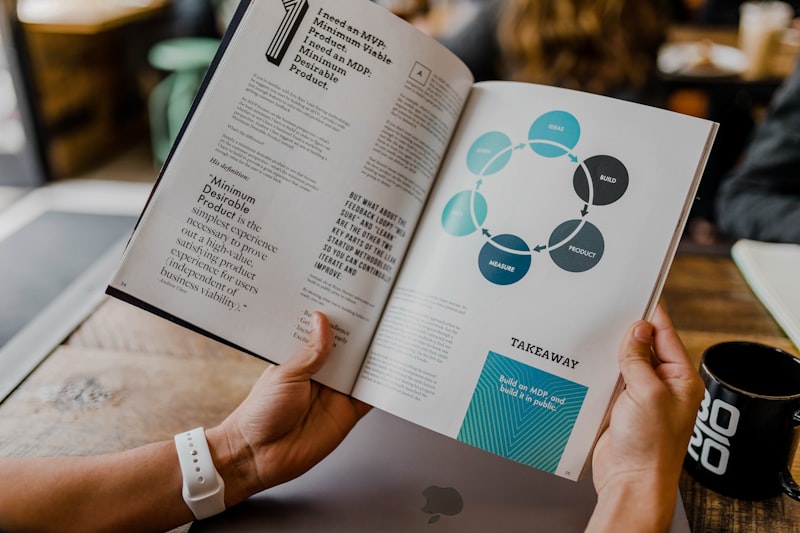
Going Beyond Print: Turn Your Brochure into a Digital Flipbook
Gedruckte Broschüren eignen sich hervorragend für Messen, Verkaufstheken und Direktmailings. Digitale Broschüren hingegen erweitern Ihre Reichweite weit über Ihren physischen Standort hinaus. FlipHTML5Sie können jede beliebige PDF-Broschürenvorlage hochladen und sie mit wenigen Klicks in ein interaktives Blätterbuch verwandeln.
Folgendes können Sie Ihrer digitalen Broschüre hinzufügen:
- Klickbare Links — lenken Sie den Traffic von Ihrer Broschüre auf spezifische Produktseiten oder Landingpages
- Eingebettete Videos — eine Produktdemo, eine Kundenreferenz oder einen Blick hinter die Kulissen präsentieren.
- Audio-Voiceover — Erstellen Sie eine Audio-Führung durch Ihre Broschüre, um die Barrierefreiheit zu gewährleisten.
- Benutzerdefinierte Hintergründe — Passen Sie das Branding an Ihre Website oder Veranstaltung an, um ein stimmiges Gesamtbild zu schaffen.
- Analytik — Sehen Sie, wie viele Seiten jeder Leser aufruft, wie lange er dort verweilt und welche Links er anklickt.
Diese Kombination aus Print und Digital bietet kleinen Unternehmen maximale Flexibilität – sie können physische Broschüren bei lokalen Veranstaltungen verteilen und gleichzeitig die digitale Version mit einem globalen Online-Publikum teilen.
Where to Find the Best Free Brochure Templates
Hier finden Sie zuverlässige Quellen für kostenlose Broschürenvorlagen, für die Sie kein Premium-Abonnement abschließen müssen:
- Leinwand Bietet Dutzende kostenlose Vorlagen für dreifach, zweifach und halbgefaltete Broschüren. Einfache Bearbeitung per Drag & Drop. Ideal für Einsteiger.
- Microsoft Word — Die integrierten Broschürenvorlagen werden oft übersehen, sind aber überraschend gut. Ideal, wenn Sie schnell Ergebnisse benötigen, ohne sich in neue Software einarbeiten zu müssen.
- Adobe Express — Die kostenlose Version beinhaltet den Zugriff auf professionell gestaltete Broschürenvorlagen. Gute Integration mit anderen Adobe-Tools.
- FlipHTML5 Kostenlose digitale Broschürenvorlagen, optimiert für die Online-Weitergabe. Jede Vorlage lässt sich in ein interaktives Blätterbuch mit eingebetteten Multimedia-Inhalten verwandeln.
Tips for Choosing the Right Brochure Template
Nicht jede Vorlage passt zu jedem Unternehmen. So wählen Sie die richtige aus:
- Passen Sie das Format an die Nachricht an. Eine Speisekarte eignet sich am besten als dreifach gefaltete Broschüre. Eine Markenübersicht wirkt gut als zweifach gefaltete Broschüre. Ein Produktkatalog benötigt möglicherweise ein halb gefaltetes oder mehrseitiges digitales Format.
- Berücksichtigen Sie Ihr Druckbudget. Manche Vorlagen sehen auf dem Bildschirm fantastisch aus, sind aber aufgrund von Beschnittzugaben, Sonderfarben oder ungewöhnlichen Abmessungen teuer im Druck. Verwenden Sie daher Standardformate (A4, US Letter), um die Druckkosten niedrig zu halten.
- Denken Sie über Ihren Vertriebskanal nach. Wenn Sie Broschüren per Post versenden, passt eine zweifach gefaltete Broschüre in Standardumschläge. Wenn Sie sie bei Veranstaltungen verteilen, ist eine kompakte dreifach gefaltete Broschüre leichter zu transportieren.
- Lesbarkeit hat Priorität. Eine schöne Vorlage mit winziger Schrift verfehlt ihren Zweck. Sehen Sie sich die Vorschau in Originalgröße an, bevor Sie die endgültige Version verwenden.
Conclusion
Kostenlose Broschürenvorlagen gehören zu den klügsten Investitionen, die ein kleines Unternehmen tätigen kann. Sie bieten professionelle Marketingmaterialien ohne die hohen Kosten eines Designers und lassen sich individuell an jede Branche oder Kampagne anpassen.
Ob Sie eine Speisekarte, einen Immobilienflyer oder ein Produkt-Lookbook gestalten möchten – es gibt garantiert eine kostenlose Vorlage, die Ihren Bedürfnissen entspricht. Und wenn Sie bereit sind, digital durchzustarten, FlipHTML5 So lässt sich Ihre gedruckte Broschüre ganz einfach in ein interaktives digitales Erlebnis verwandeln, das Sie überall teilen können.
Stöbern Sie in den kostenlosen Vorlagenbibliotheken oben, laden Sie sich ein paar Optionen herunter und beginnen Sie noch heute mit der individuellen Anpassung. Ihre Kunden – und Ihr Marketingbudget – werden es Ihnen danken.